📏 Luna's Math Quest
Measure Marsh
Money and change, telling and elapsed time, length and weight, and unit conversions.
Money & Change
How this station is declared (YAML)
id: ms-money
title: Money & Change
icon: 💰
board: money
bands:
  - 0
  - 2
lesson: money
concept: money
Lesson: Money & Change — 3 steps
Count up
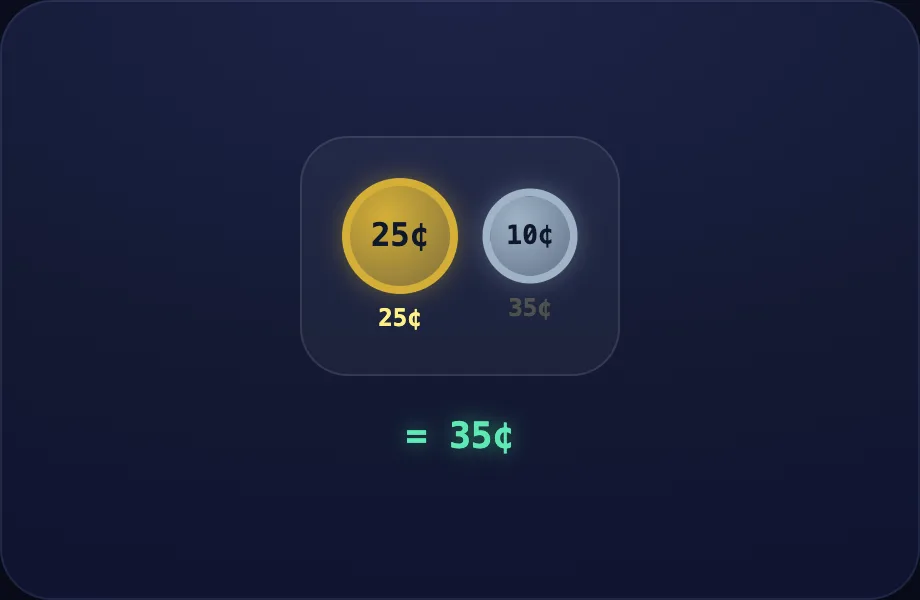
Introduce the idea. Luna opens with the coins visual — a tray of coins to count a money amount / make change, across 2 narrated beats, so the concept is seen before it is ever practised.
What Luna says
- Money is counted in cents. Let's add up coins, starting with the biggest.
- A quarter is twenty-five cents, plus a dime is ten more — thirty-five cents.
In the open config
id: count
label: Count up
beats:
  - say: lmo-1
    caption: Money is counted in cents. Let's add up coins, starting with the biggest.
    view:
      kind: coins
      key: c2
      coins:
        - 25
        - 10
  - say: lmo-2
    caption: A quarter is twenty-five cents, plus a dime is ten more — thirty-five cents.
    view:
      kind: coins
      key: c2
      coins:
        - 25
        - 10
Preview
Add more
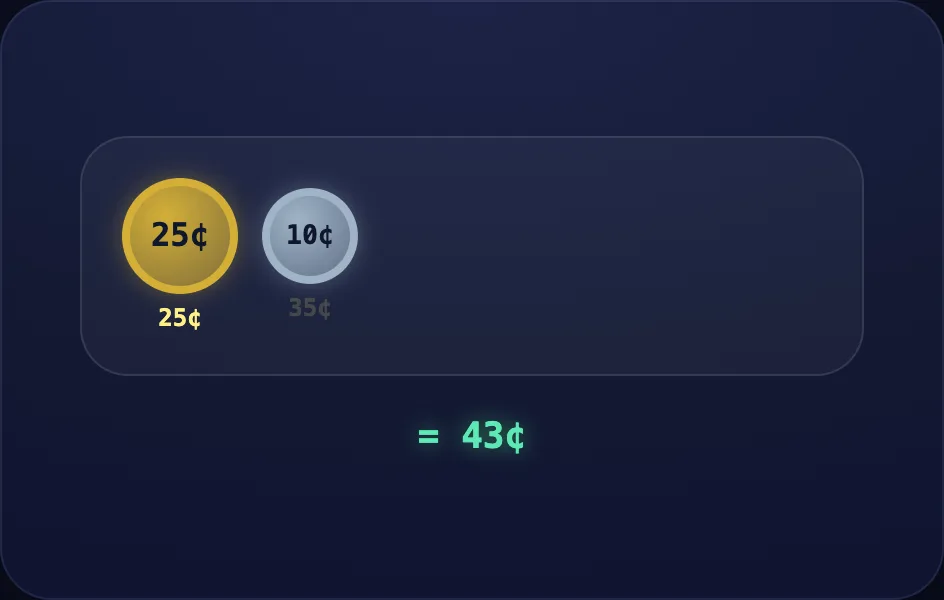
Worked example. Luna walks one case step by step with the coins view — a tray of coins to count a money amount / make change, turning the idea into a procedure a child can repeat.
What Luna says
- Add a nickel and three pennies to keep counting up.
In the open config
id: more
label: Add more
beats:
  - say: lmo-3
    caption: Add a nickel and three pennies to keep counting up.
    view:
      kind: coins
      key: c6
      coins:
        - 25
        - 10
        - 5
        - 1
        - 1
        - 1
Preview
Your turn
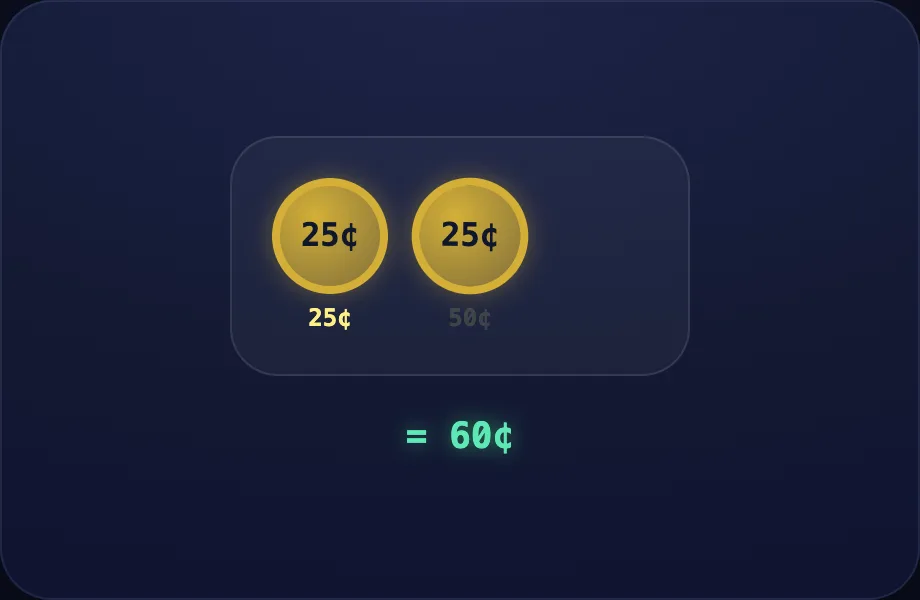
Your turn. The lesson hands off to the practice board: the child now answers, applying what the coins visual — a tray of coins to count a money amount / make change just showed.
What Luna says
- Start with the biggest coins and count up. You try!
In the open config
id: go
label: Your turn
beats:
  - say: lmo-4
    caption: Start with the biggest coins and count up. You try!
    view:
      kind: coins
      key: c3
      coins:
        - 25
        - 25
        - 10
Preview
Telling Time
How this station is declared (YAML)
id: ms-time
title: Telling Time
icon: 🕒
board: time
bands:
  - 0
  - 2
lesson: time
concept: time
Lesson: Telling Time — 3 steps
The hands
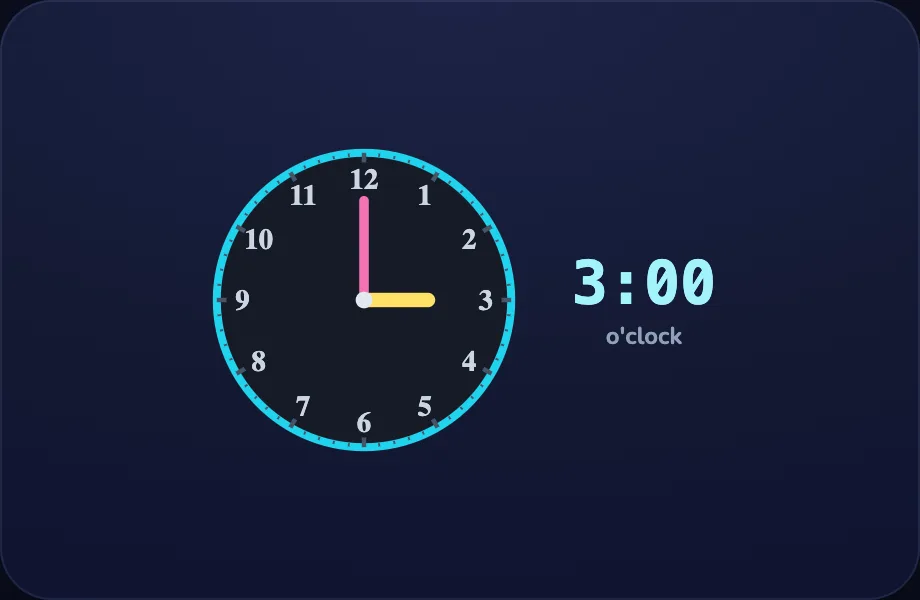
Introduce the idea. Luna opens with the clock visual — an analog clock set to a time, for telling time, across 2 narrated beats, so the concept is seen before it is ever practised.
What Luna says
- A clock has two hands. The short hand points to the hour, the long hand to the minutes.
- Short hand on three, long hand straight up on twelve — that is three o-clock.
In the open config
id: hands
label: The hands
beats:
  - say: lti-1
    caption: A clock has two hands. The short hand points to the hour, the long hand to the minutes.
    view:
      kind: clock
      key: t3
      h: 3
      m: 0
  - say: lti-2
    caption: Short hand on three, long hand straight up on twelve — that is three o-clock.
    view:
      kind: clock
      key: t3
      h: 3
      m: 0
Preview
Half past
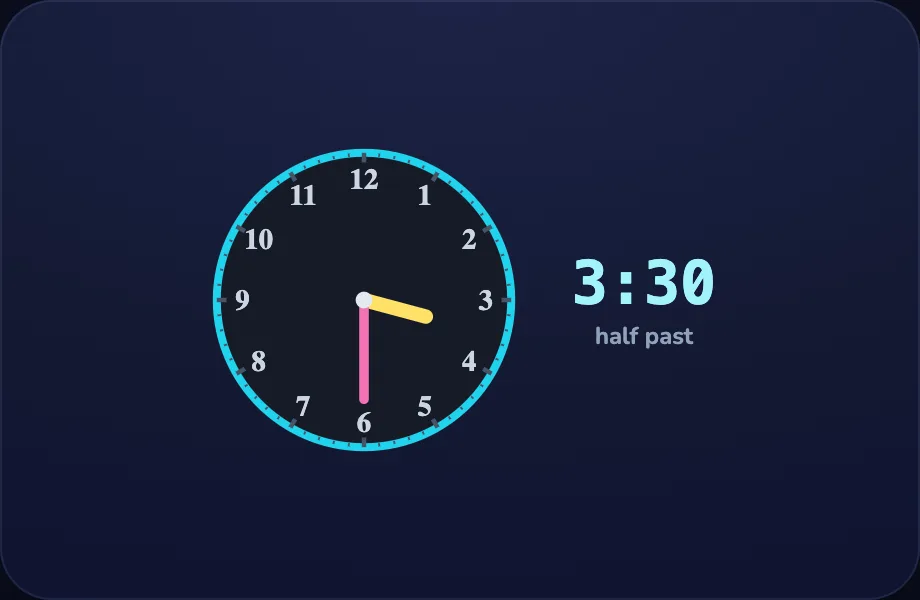
Worked example. Luna walks one case step by step with the clock view — an analog clock set to a time, for telling time, turning the idea into a procedure a child can repeat.
What Luna says
- When the long hand points straight down at the six, it is half past.
In the open config
id: half
label: Half past
beats:
  - say: lti-3
    caption: When the long hand points straight down at the six, it is half past.
    view:
      kind: clock
      key: t330
      h: 3
      m: 30
Preview
Your turn
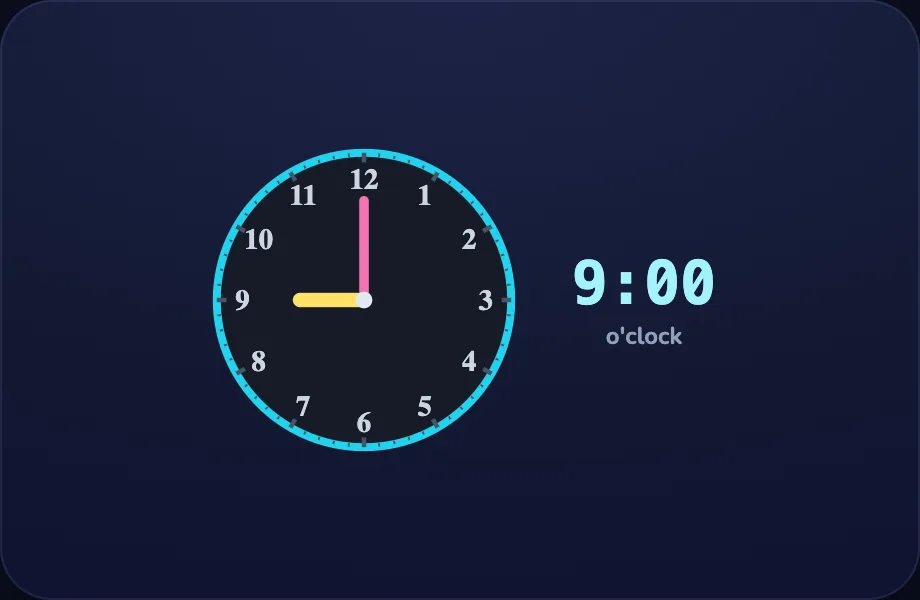
Your turn. The lesson hands off to the practice board: the child now answers, applying what the clock visual — an analog clock set to a time, for telling time just showed.
What Luna says
- Short hand is the hour, long hand is the minutes. You try!
In the open config
id: go
label: Your turn
beats:
  - say: lti-4
    caption: Short hand is the hour, long hand is the minutes. You try!
    view:
      kind: clock
      key: t9
      h: 9
      m: 0
Preview
Elapsed Time
How this station is declared (YAML)
id: ms-elapsed
title: Elapsed Time
icon: ⏳
board: elapsed
bands:
  - 0
  - 2
lesson: elapsed
concept: elapsed
Lesson: Elapsed Time — 2 steps
Count on
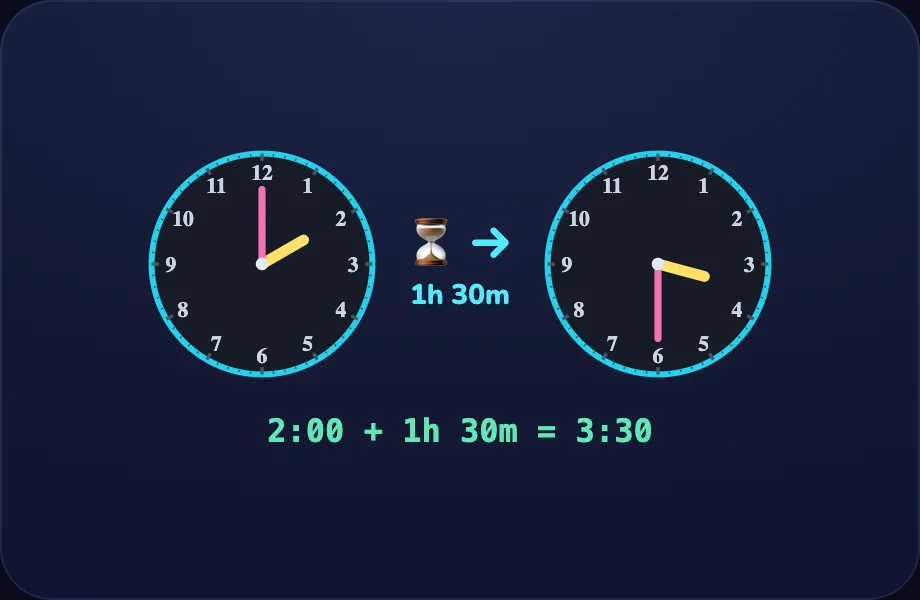
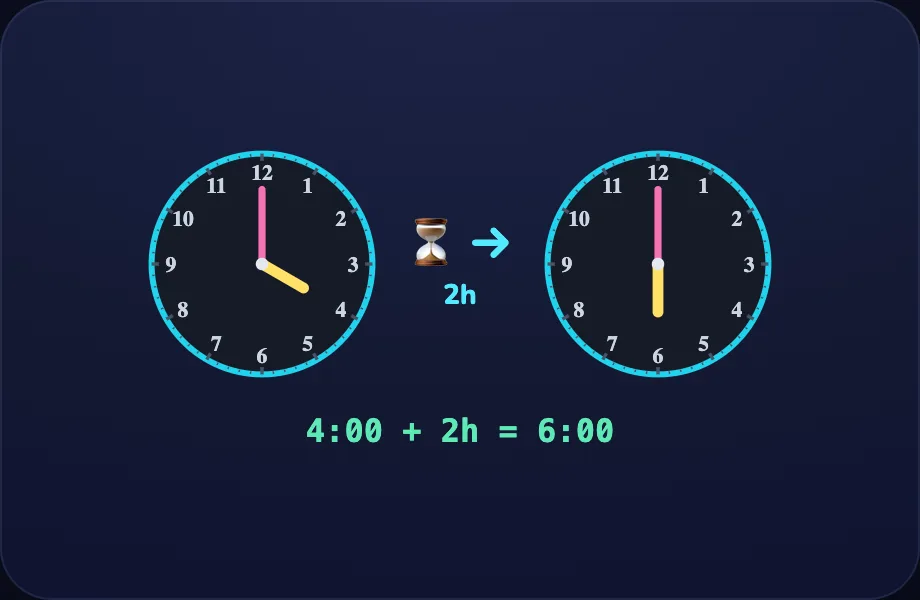
Introduce the idea. Luna opens with the elapsed visual — two clocks (start and end) showing elapsed time, across 2 narrated beats, so the concept is seen before it is ever practised.
What Luna says
- Elapsed time is how long something takes — from a start time to an end time.
- From two o-clock, count on one hour to three, then thirty more minutes — one and a half hours.
In the open config
id: count
label: Count on
beats:
  - say: lel-1
    caption: Elapsed time is how long something takes — from a start time to an end time.
    view:
      kind: elapsed
      key: e1
      h1: 2
      m1: 0
      dh: 1
      dm: 30
  - say: lel-2
    caption: From two o-clock, count on one hour to three, then thirty more minutes — one and a half hours.
    view:
      kind: elapsed
      key: e1
      h1: 2
      m1: 0
      dh: 1
      dm: 30
Preview
Your turn
Your turn. The lesson hands off to the practice board: the child now answers, applying what the elapsed visual — two clocks (start and end) showing elapsed time just showed.
What Luna says
- Count on from the start time to the end time. You try!
In the open config
id: go
label: Your turn
beats:
  - say: lel-3
    caption: Count on from the start time to the end time. You try!
    view:
      kind: elapsed
      key: e2
      h1: 4
      m1: 0
      dh: 2
      dm: 0
Preview
Length & Weight
How this station is declared (YAML)
id: ms-units
title: Length & Weight
icon: ⚖️
board: units
bands:
  - 0
  - 2
lesson: units
concept: units
Lesson: Length & Weight — 3 steps
Meters
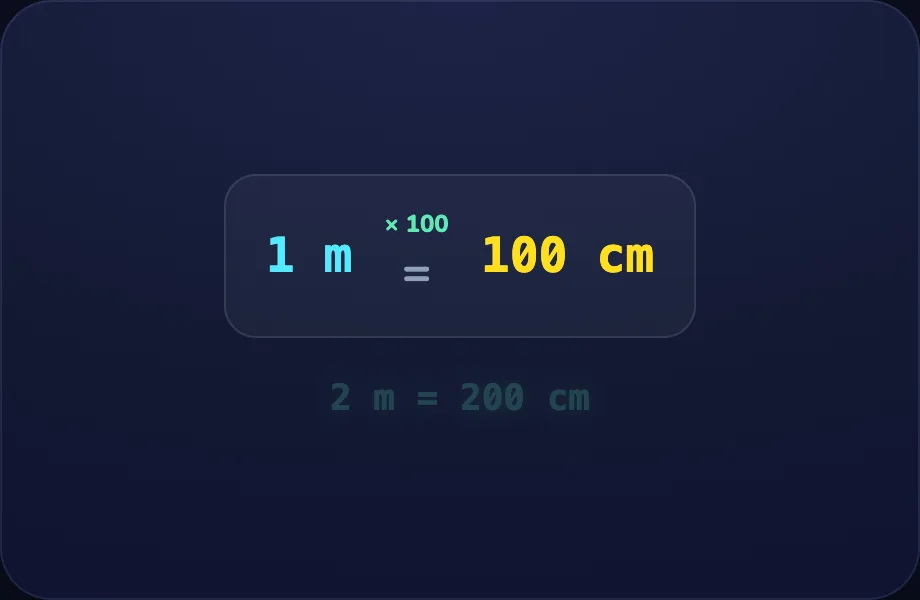
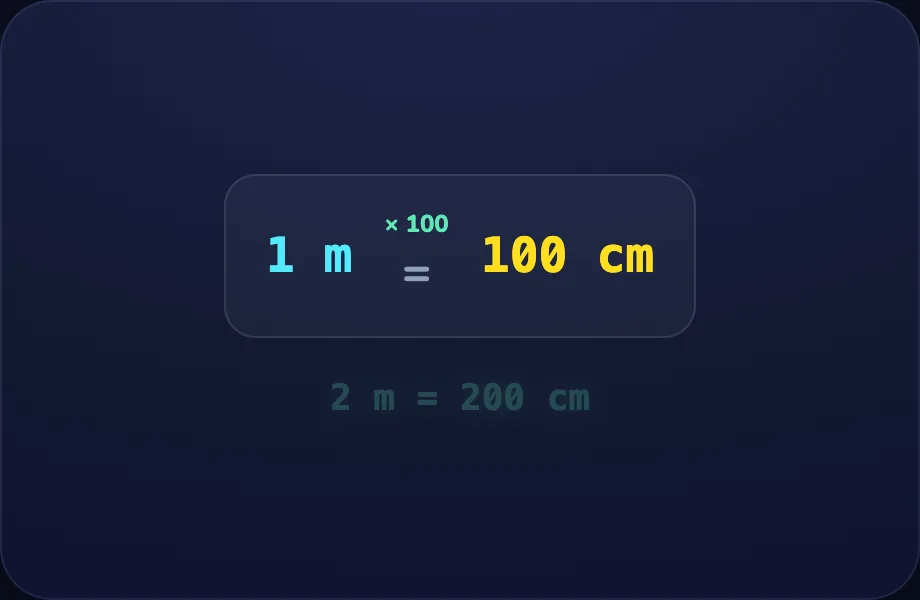
Introduce the idea. Luna opens with the unitladder visual — a unit-conversion ladder (big ↔ small, e.g. m ↔ cm) showing the ×/÷ factor, across 2 narrated beats, so the concept is seen before it is ever practised.
What Luna says
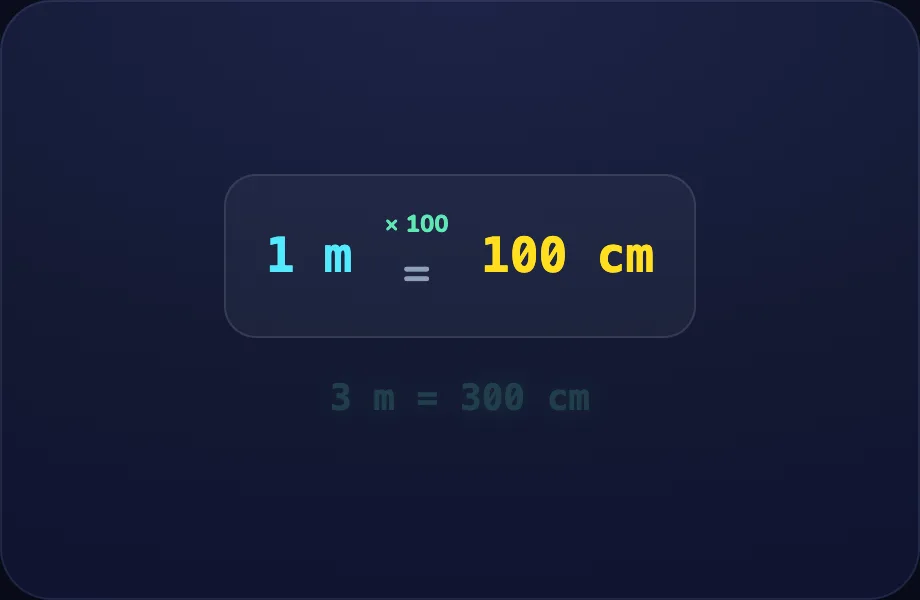
- We measure with units, and we pick the right size. One meter is a hundred centimeters.
- So two meters is two hundred centimeters.
In the open config
id: meter
label: Meters
beats:
  - say: lun-1
    caption: We measure with units, and we pick the right size. One meter is a hundred centimeters.
    view:
      kind: unitladder
      key: um
      big: m
      small: cm
      per: 100
      "n": 2
  - say: lun-2
    caption: So two meters is two hundred centimeters.
    view:
      kind: unitladder
      key: um
      big: m
      small: cm
      per: 100
      "n": 2
Preview
Kilograms
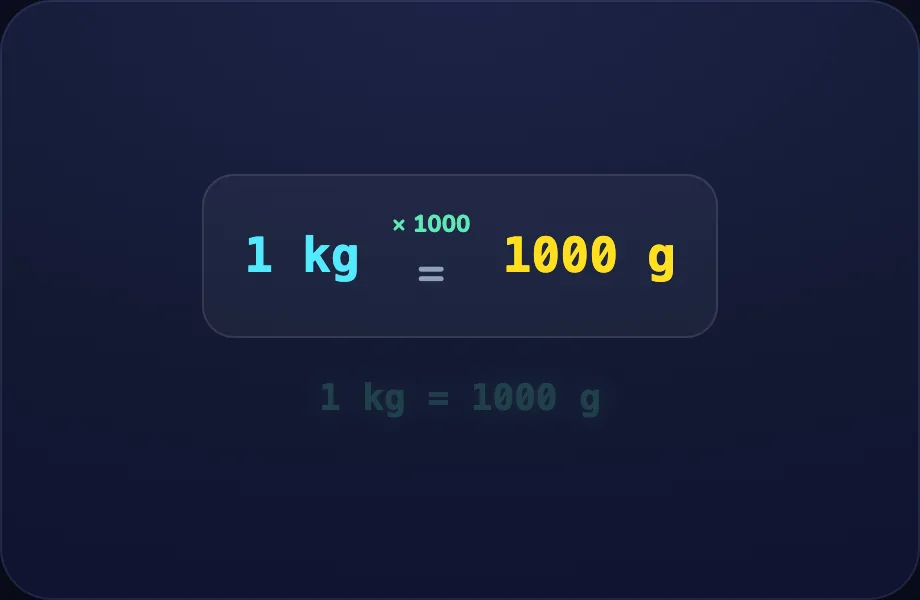
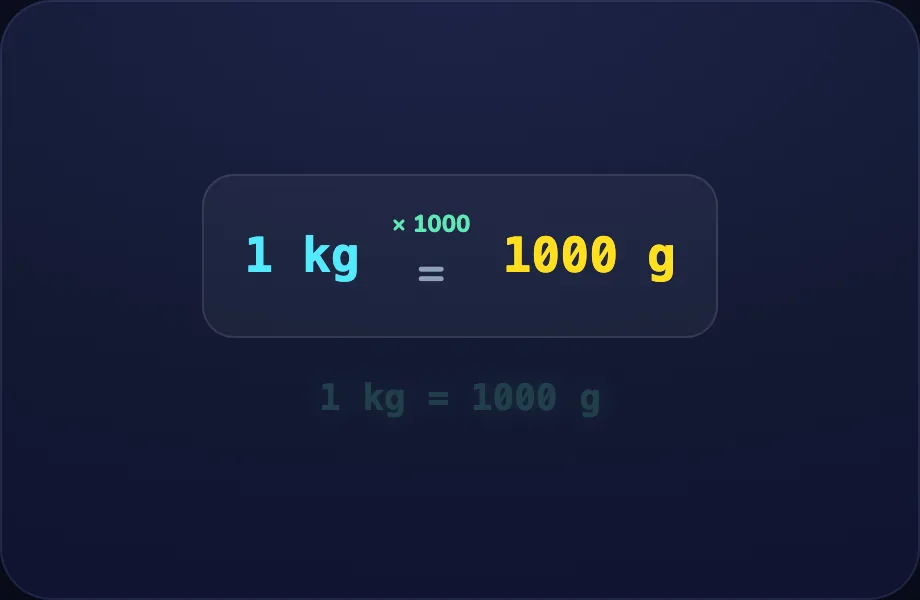
Worked example. Luna walks one case step by step with the unitladder view — a unit-conversion ladder (big ↔ small, e.g. m ↔ cm) showing the ×/÷ factor, turning the idea into a procedure a child can repeat.
What Luna says
- To change a big unit into a small one, we multiply. One kilogram is a thousand grams.
In the open config
id: kilo
label: Kilograms
beats:
  - say: lun-3
    caption: To change a big unit into a small one, we multiply. One kilogram is a thousand grams.
    view:
      kind: unitladder
      key: uk
      big: kg
      small: g
      per: 1000
      "n": 1
Preview
Your turn
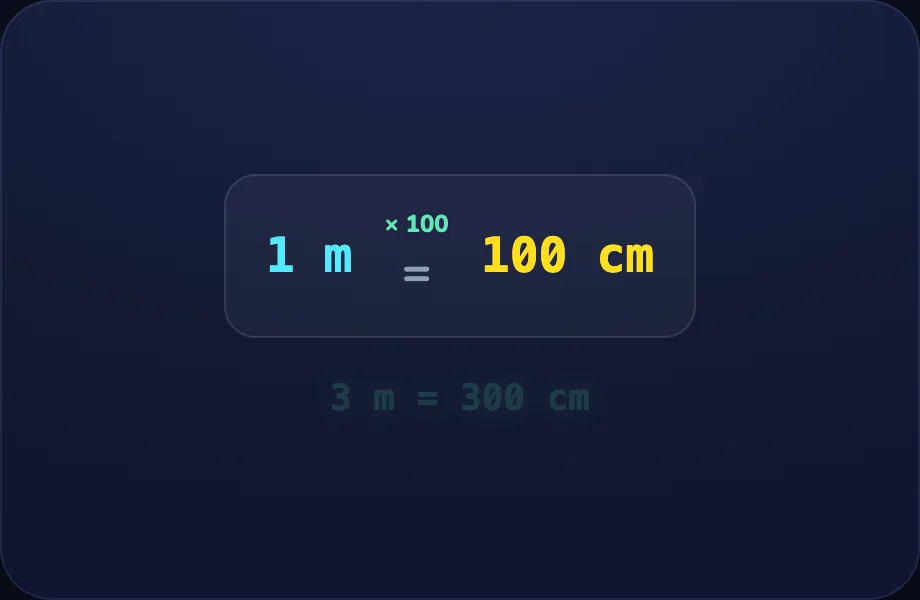
Your turn. The lesson hands off to the practice board: the child now answers, applying what the unitladder visual — a unit-conversion ladder (big ↔ small, e.g. m ↔ cm) showing the ×/÷ factor just showed.
What Luna says
- Big unit to small unit: multiply. You try!
In the open config
id: go
label: Your turn
beats:
  - say: lun-4
    caption: "Big unit to small unit: multiply. You try!"
    view:
      kind: unitladder
      key: um3
      big: m
      small: cm
      per: 100
      "n": 3
Preview
Unit Conversions
How this station is declared (YAML)
id: ms-convert
title: Unit Conversions
icon: 🔁
board: unit-convert
bands:
  - 0
  - 2
lesson: units
concept: units
Lesson: Length & Weight — 3 steps
Meters
Introduce the idea. Luna opens with the unitladder visual — a unit-conversion ladder (big ↔ small, e.g. m ↔ cm) showing the ×/÷ factor, across 2 narrated beats, so the concept is seen before it is ever practised.
What Luna says
- We measure with units, and we pick the right size. One meter is a hundred centimeters.
- So two meters is two hundred centimeters.
In the open config
id: meter
label: Meters
beats:
  - say: lun-1
    caption: We measure with units, and we pick the right size. One meter is a hundred centimeters.
    view:
      kind: unitladder
      key: um
      big: m
      small: cm
      per: 100
      "n": 2
  - say: lun-2
    caption: So two meters is two hundred centimeters.
    view:
      kind: unitladder
      key: um
      big: m
      small: cm
      per: 100
      "n": 2
Preview
Kilograms
Worked example. Luna walks one case step by step with the unitladder view — a unit-conversion ladder (big ↔ small, e.g. m ↔ cm) showing the ×/÷ factor, turning the idea into a procedure a child can repeat.
What Luna says
- To change a big unit into a small one, we multiply. One kilogram is a thousand grams.
In the open config
id: kilo
label: Kilograms
beats:
  - say: lun-3
    caption: To change a big unit into a small one, we multiply. One kilogram is a thousand grams.
    view:
      kind: unitladder
      key: uk
      big: kg
      small: g
      per: 1000
      "n": 1
Preview
Your turn
Your turn. The lesson hands off to the practice board: the child now answers, applying what the unitladder visual — a unit-conversion ladder (big ↔ small, e.g. m ↔ cm) showing the ×/÷ factor just showed.
What Luna says
- Big unit to small unit: multiply. You try!
In the open config
id: go
label: Your turn
beats:
  - say: lun-4
    caption: "Big unit to small unit: multiply. You try!"
    view:
      kind: unitladder
      key: um3
      big: m
      small: cm
      per: 100
      "n": 3
Preview