⚓ Luna's Math Quest
Decimal Docks
Decimal place value, comparing, add/subtract, and the link between fractions and decimals.
Decimal Places
How this station is declared (YAML)
id: dd-place
title: Decimal Places
icon: 🔬
board: dec-place
bands:
  - 0
  - 2
lesson: decimal-place
concept: decimal-place
Lesson: Decimal Places — 4 steps
Tenths
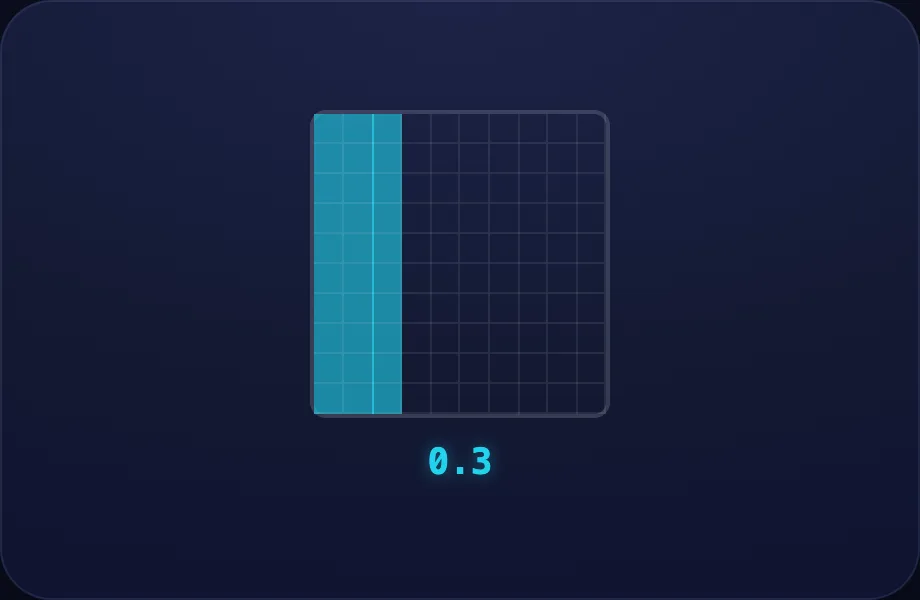
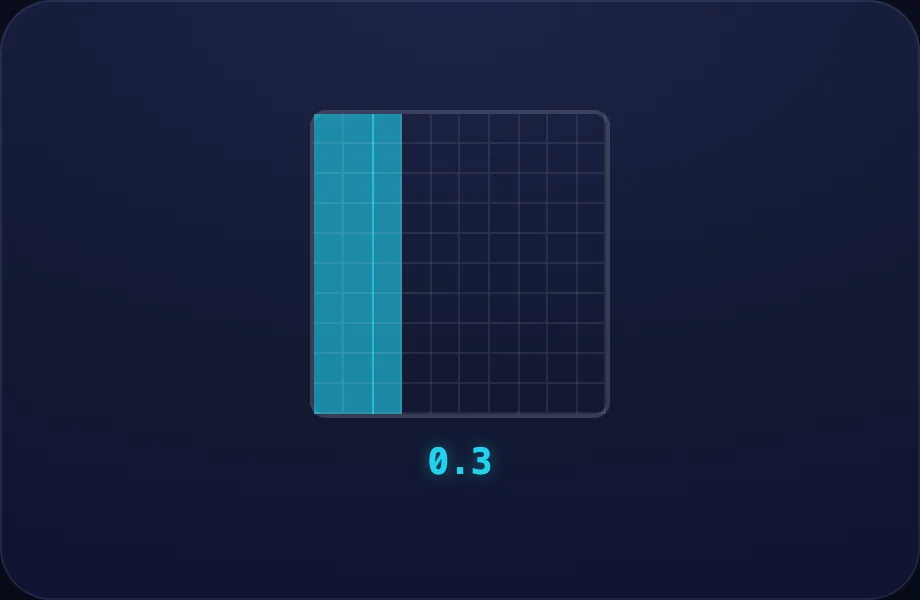
Introduce the idea. Luna opens with the decgrid visual — a hundred-grid shading a decimal value (tenths/hundredths), across 2 narrated beats, so the concept is seen before it is ever practised.
What Luna says
- A decimal shows a part smaller than one. The point separates the whole from the part.
- This whole square is split into a hundred. Three shaded columns are three tenths — zero point three.
In the open config
id: tenths
label: Tenths
beats:
  - say: ldp-1
    caption: A decimal shows a part smaller than one. The point separates the whole from the part.
    view:
      kind: decgrid
      key: d03
      value: 0.3
  - say: ldp-2
    caption: This whole square is split into a hundred. Three shaded columns are three tenths — zero point three.
    view:
      kind: decgrid
      key: d03
      value: 0.3
Preview
Hundredths
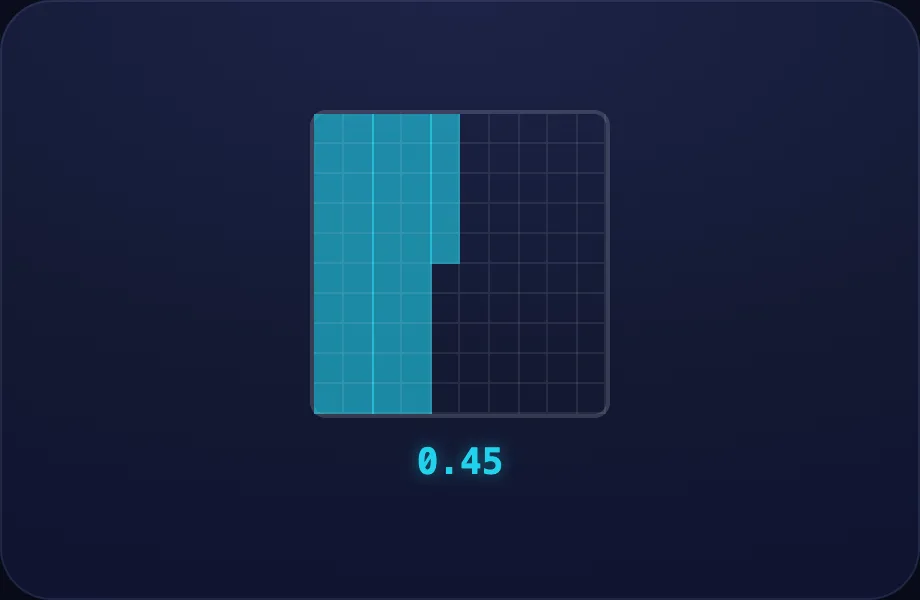
Worked example. Luna walks one case step by step with the decgrid view — a hundred-grid shading a decimal value (tenths/hundredths), turning the idea into a procedure a child can repeat.
What Luna says
- Each tiny square is one hundredth. Forty-five squares is zero point four five.
In the open config
id: hundredths
label: Hundredths
beats:
  - say: ldp-3
    caption: Each tiny square is one hundredth. Forty-five squares is zero point four five.
    view:
      kind: decgrid
      key: d045
      value: 0.45
Preview
Same as ½
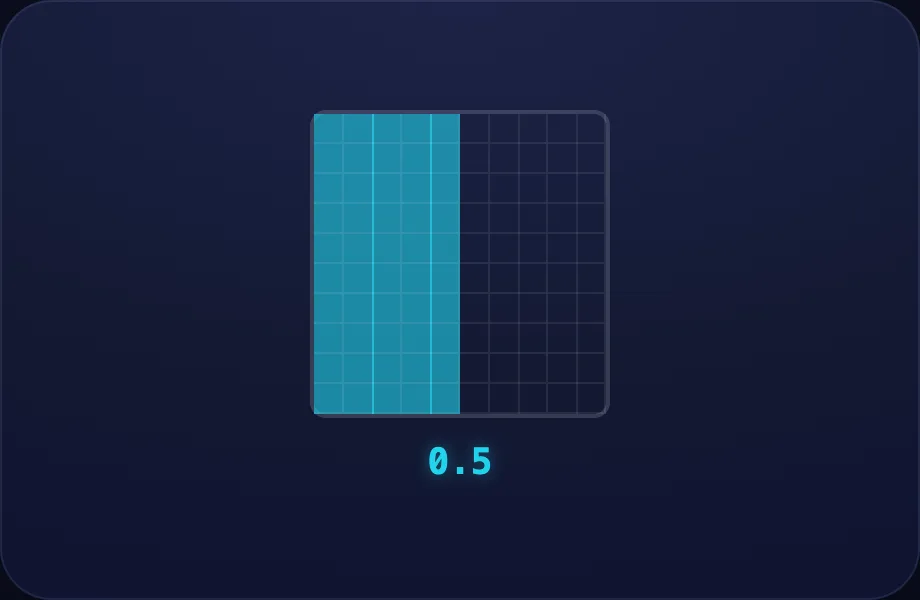
Worked example. Luna walks one case step by step with the decgrid view — a hundred-grid shading a decimal value (tenths/hundredths), turning the idea into a procedure a child can repeat.
What Luna says
- Decimals and fractions name the same part two ways. Zero point five is the same as one-half.
In the open config
id: convert
label: Same as ½
beats:
  - say: ldp-4
    caption: Decimals and fractions name the same part two ways. Zero point five is the same as one-half.
    view:
      kind: decgrid
      key: d05
      value: 0.5
Preview
Your turn
Your turn. The lesson hands off to the practice board: the child now answers, applying what the decgrid visual — a hundred-grid shading a decimal value (tenths/hundredths) just showed.
What Luna says
- The first place after the point is tenths, the next is hundredths. You try!
In the open config
id: go
label: Your turn
beats:
  - say: ldp-5
    caption: The first place after the point is tenths, the next is hundredths. You try!
    view:
      kind: decgrid
      key: d03b
      value: 0.3
Preview
Compare Decimals
How this station is declared (YAML)
id: dd-compare
title: Compare Decimals
icon: ⚖️
board: dec-compare
bands:
  - 0
  - 2
lesson: compare-decimals
concept: compare-decimals
Lesson: Compare Decimals — 2 steps
Which is bigger
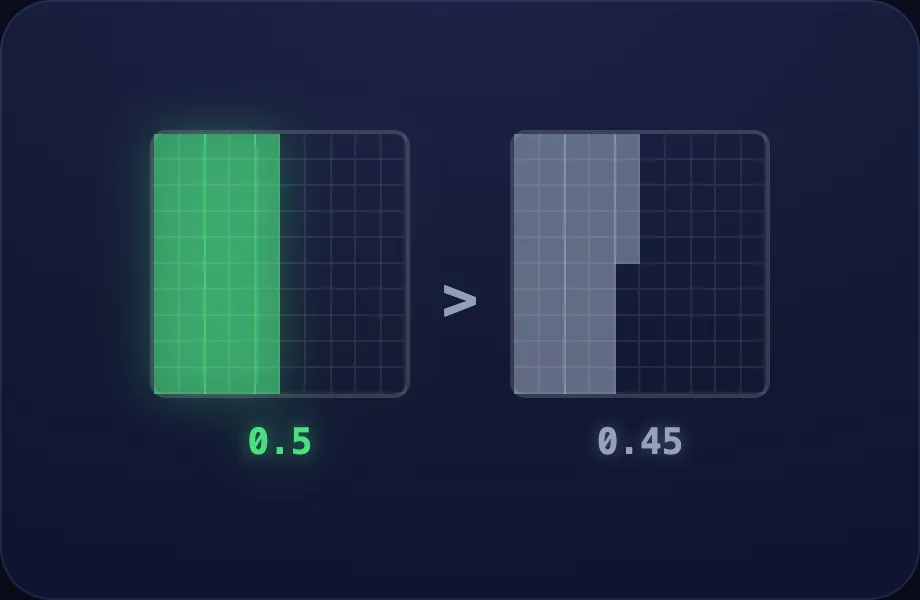
Introduce the idea. Luna opens with the compdec visual — two decimals aligned by place value for comparing, across 2 narrated beats, so the concept is seen before it is ever practised.
What Luna says
- To compare decimals, line up the points and look place by place. Which is bigger: zero point five, or zero point four five?
- Five tenths fills more than forty-five hundredths, so zero point five wins. Don't be fooled by extra digits!
In the open config
id: which
label: Which is bigger
beats:
  - say: lcd-1
    caption: "To compare decimals, line up the points and look place by place. Which is bigger: zero point five, or zero point four five?"
    view:
      kind: compdec
      key: c5045
      a: 0.5
      b: 0.45
  - say: lcd-2
    caption: Five tenths fills more than forty-five hundredths, so zero point five wins. Don't be fooled by extra digits!
    view:
      kind: compdec
      key: c5045
      a: 0.5
      b: 0.45
Preview
Your turn
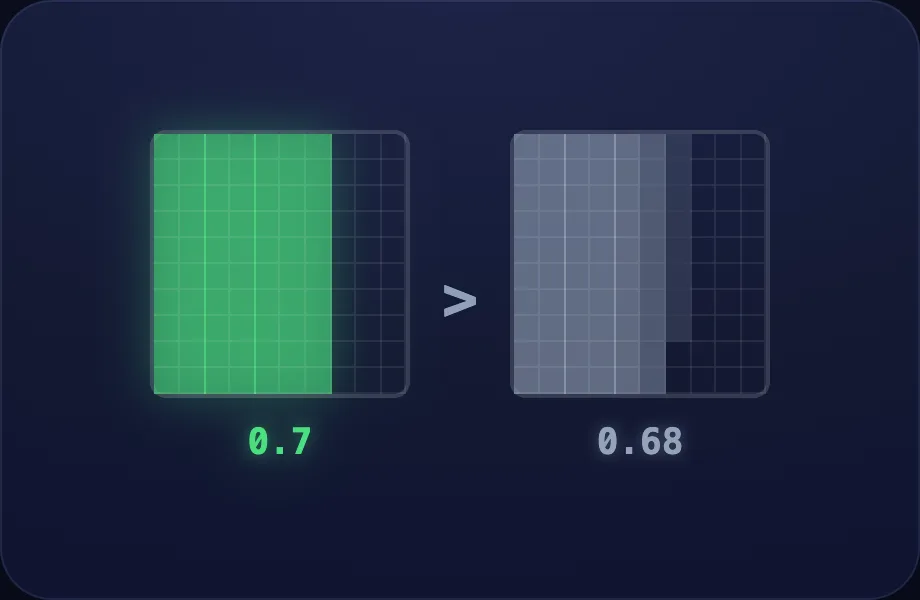
Your turn. The lesson hands off to the practice board: the child now answers, applying what the compdec visual — two decimals aligned by place value for comparing just showed.
What Luna says
- Compare the tenths first, then the hundredths. You try!
In the open config
id: go
label: Your turn
beats:
  - say: lcd-3
    caption: Compare the tenths first, then the hundredths. You try!
    view:
      kind: compdec
      key: c7068
      a: 0.7
      b: 0.68
Preview
Add & Subtract
How this station is declared (YAML)
id: dd-addsub
title: Add & Subtract
icon: ➕
board: dec-addsub
bands:
  - 0
  - 2
lesson: add-decimals
concept: add-decimals
Lesson: Add & Subtract — 2 steps
Line up points
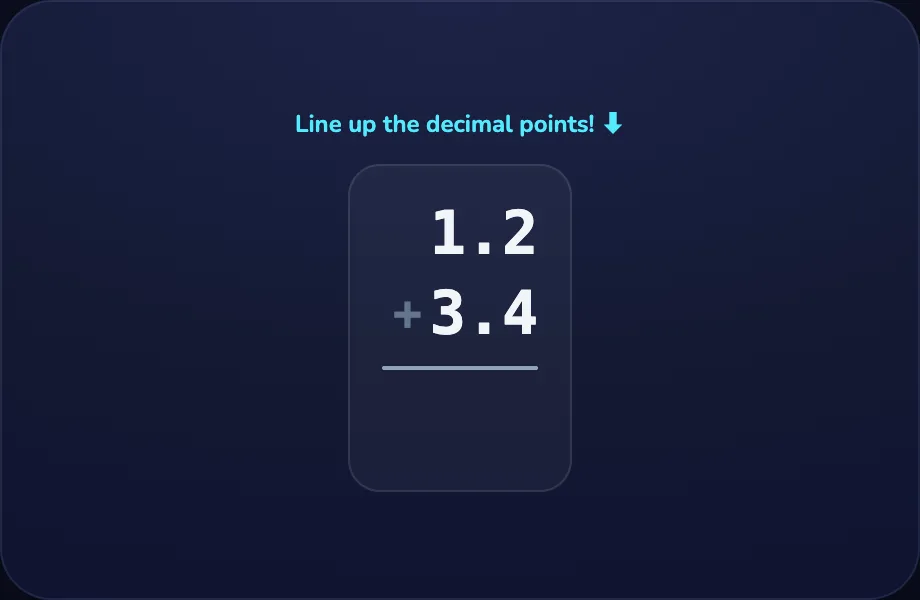
Introduce the idea. Luna opens with the adddec visual — adding two decimals, lined up on the decimal point, across 2 narrated beats, so the concept is seen before it is ever practised.
What Luna says
- To add decimals, line up the decimal points so tenths sit under tenths. One point two plus three point four.
- Then add just like whole numbers. One point two plus three point four is four point six.
In the open config
id: lineup
label: Line up points
beats:
  - say: lad-1
    caption: To add decimals, line up the decimal points so tenths sit under tenths. One point two plus three point four.
    view:
      kind: adddec
      key: a1234
      a: 1.2
      b: 3.4
  - say: lad-2
    caption: Then add just like whole numbers. One point two plus three point four is four point six.
    view:
      kind: adddec
      key: a1234
      a: 1.2
      b: 3.4
Preview
Your turn
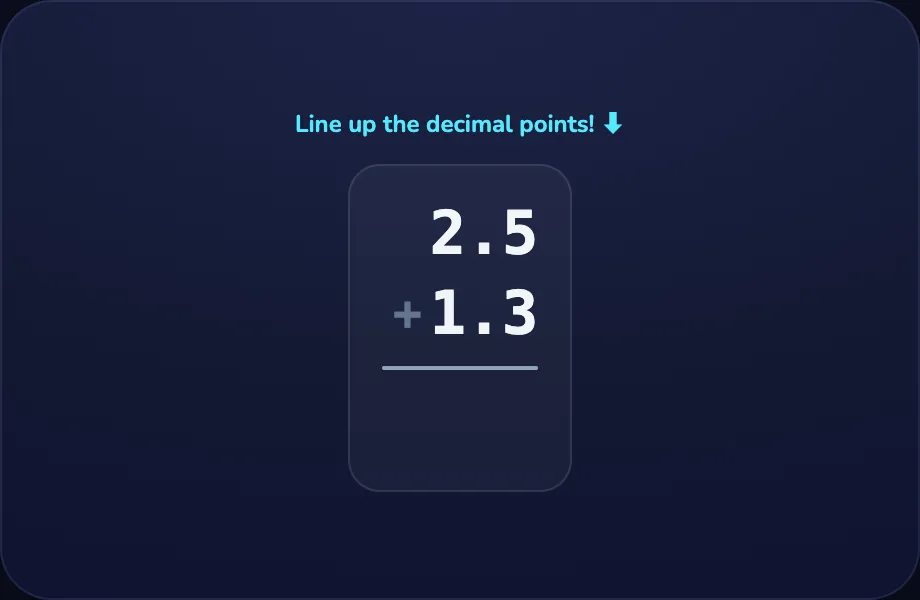
Your turn. The lesson hands off to the practice board: the child now answers, applying what the adddec visual — adding two decimals, lined up on the decimal point just showed.
What Luna says
- Line up the points, then add. You try!
In the open config
id: go
label: Your turn
beats:
  - say: lad-3
    caption: Line up the points, then add. You try!
    view:
      kind: adddec
      key: a2513
      a: 2.5
      b: 1.3
Preview
× and ÷ by 10, 100
How this station is declared (YAML)
id: dd-pow10
title: × and ÷ by 10, 100
icon: 🚀
board: dec-pow10
bands:
  - 0
  - 2
lesson: decimal-pow10
concept: decimal-pow10
Lesson: × and ÷ by 10, 100 — 3 steps
× 10
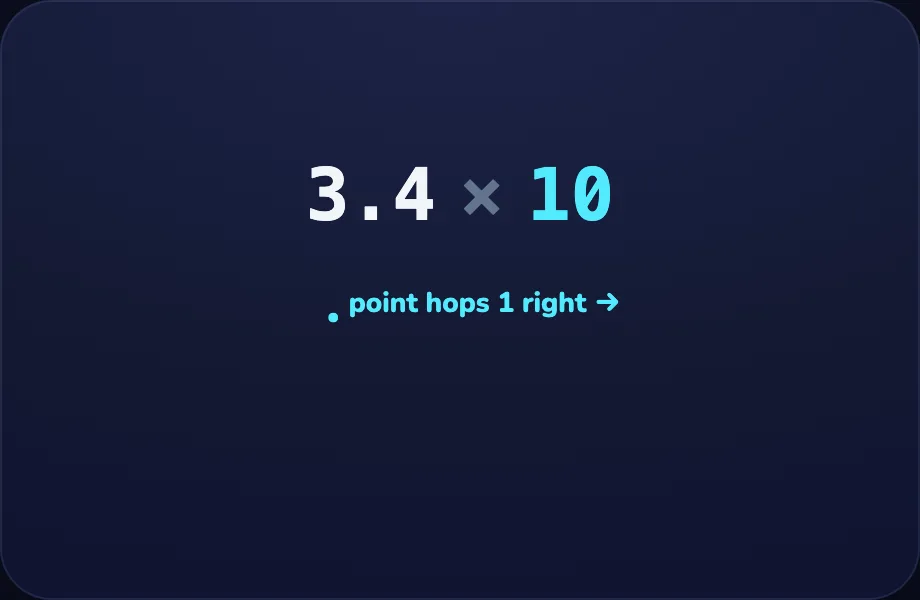
Introduce the idea. Luna opens with the dechop visual — multiplying/dividing a decimal by 10/100 — the point hops places, across 2 narrated beats, so the concept is seen before it is ever practised.
What Luna says
- Multiplying by ten makes a number ten times bigger — the point hops one place to the right.
- So three point four times ten becomes thirty-four.
In the open config
id: times
label: × 10
beats:
  - say: lpw-1
    caption: Multiplying by ten makes a number ten times bigger — the point hops one place to the right.
    view:
      kind: dechop
      key: hx
      from: 3.4
      factor: 10
      op: ×
  - say: lpw-2
    caption: So three point four times ten becomes thirty-four.
    view:
      kind: dechop
      key: hx
      from: 3.4
      factor: 10
      op: ×
Preview
÷ 10
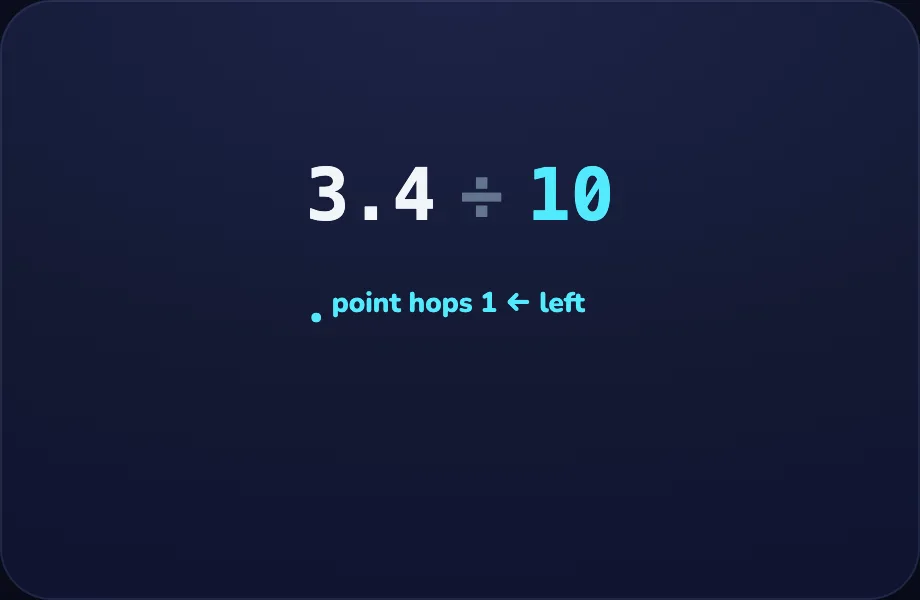
Worked example. Luna walks one case step by step with the dechop view — multiplying/dividing a decimal by 10/100 — the point hops places, turning the idea into a procedure a child can repeat.
What Luna says
- Dividing by ten makes it ten times smaller — the point hops to the left.
In the open config
id: divide
label: ÷ 10
beats:
  - say: lpw-3
    caption: Dividing by ten makes it ten times smaller — the point hops to the left.
    view:
      kind: dechop
      key: hd
      from: 3.4
      factor: 10
      op: ÷
Preview
Your turn
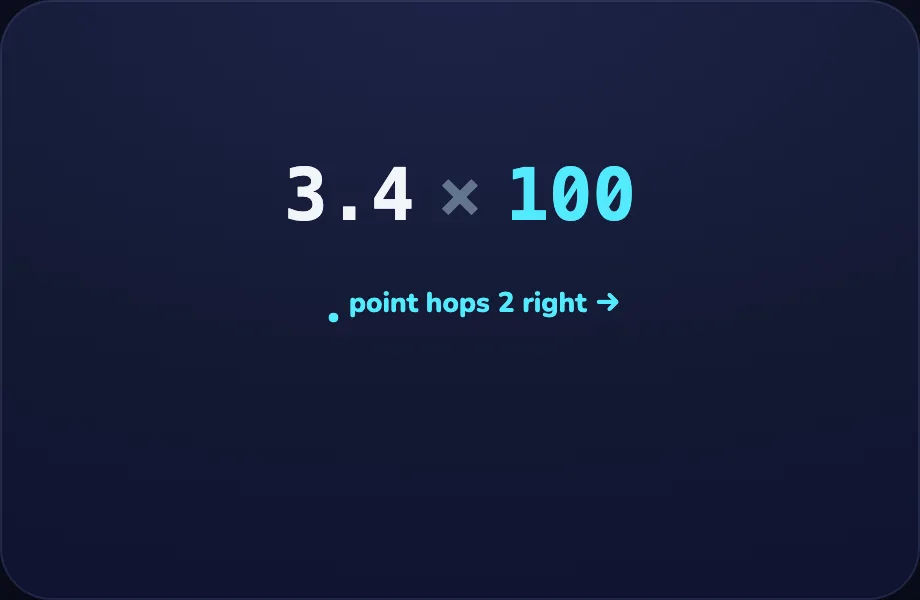
Your turn. The lesson hands off to the practice board: the child now answers, applying what the dechop visual — multiplying/dividing a decimal by 10/100 — the point hops places just showed.
What Luna says
- Times ten hops right, divide by ten hops left. By a hundred, hop twice! You try!
In the open config
id: go
label: Your turn
beats:
  - say: lpw-4
    caption: Times ten hops right, divide by ten hops left. By a hundred, hop twice! You try!
    view:
      kind: dechop
      key: hx100
      from: 3.4
      factor: 100
      op: ×
Preview
Decimal × Whole
🚧 This activity is on the map and coming soon.
Fractions ↔ Decimals
How this station is declared (YAML)
id: dd-convert
title: Fractions ↔ Decimals
icon: 🔁
board: dec-convert
bands:
  - 0
  - 2
lesson: decimal-place
concept: decimal-place
Lesson: Decimal Places — 4 steps
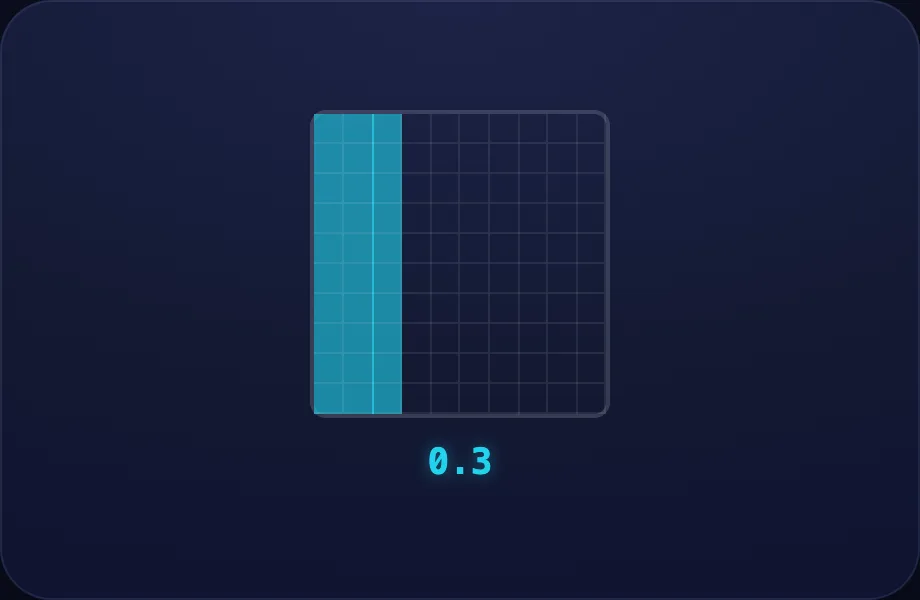
Tenths
Introduce the idea. Luna opens with the decgrid visual — a hundred-grid shading a decimal value (tenths/hundredths), across 2 narrated beats, so the concept is seen before it is ever practised.
What Luna says
- A decimal shows a part smaller than one. The point separates the whole from the part.
- This whole square is split into a hundred. Three shaded columns are three tenths — zero point three.
In the open config
id: tenths
label: Tenths
beats:
  - say: ldp-1
    caption: A decimal shows a part smaller than one. The point separates the whole from the part.
    view:
      kind: decgrid
      key: d03
      value: 0.3
  - say: ldp-2
    caption: This whole square is split into a hundred. Three shaded columns are three tenths — zero point three.
    view:
      kind: decgrid
      key: d03
      value: 0.3
Preview
Hundredths
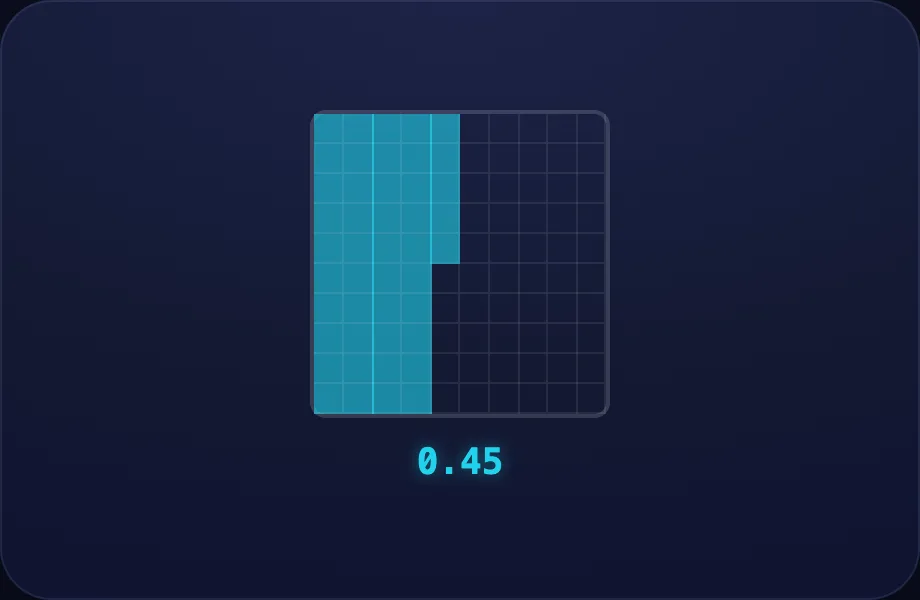
Worked example. Luna walks one case step by step with the decgrid view — a hundred-grid shading a decimal value (tenths/hundredths), turning the idea into a procedure a child can repeat.
What Luna says
- Each tiny square is one hundredth. Forty-five squares is zero point four five.
In the open config
id: hundredths
label: Hundredths
beats:
  - say: ldp-3
    caption: Each tiny square is one hundredth. Forty-five squares is zero point four five.
    view:
      kind: decgrid
      key: d045
      value: 0.45
Preview
Same as ½
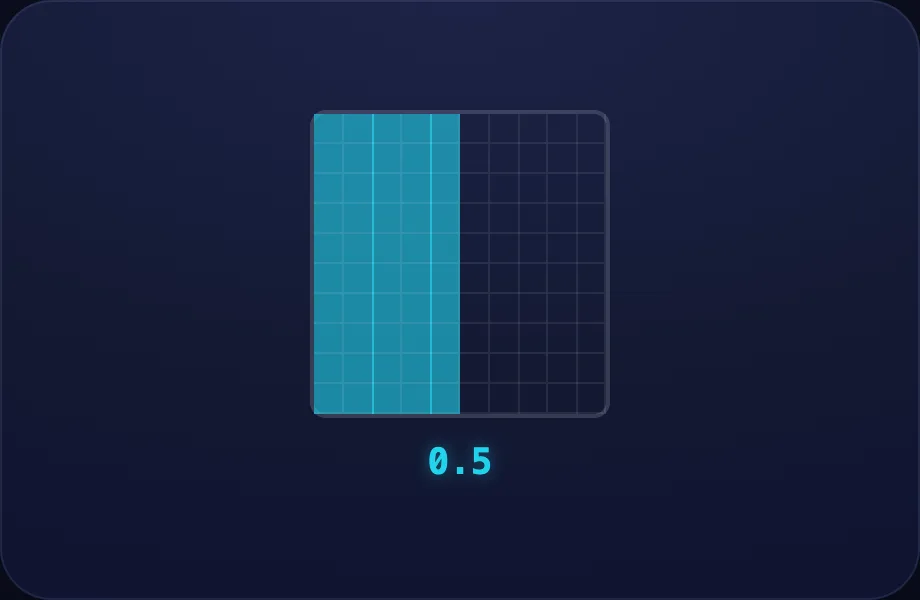
Worked example. Luna walks one case step by step with the decgrid view — a hundred-grid shading a decimal value (tenths/hundredths), turning the idea into a procedure a child can repeat.
What Luna says
- Decimals and fractions name the same part two ways. Zero point five is the same as one-half.
In the open config
id: convert
label: Same as ½
beats:
  - say: ldp-4
    caption: Decimals and fractions name the same part two ways. Zero point five is the same as one-half.
    view:
      kind: decgrid
      key: d05
      value: 0.5
Preview
Your turn
Your turn. The lesson hands off to the practice board: the child now answers, applying what the decgrid visual — a hundred-grid shading a decimal value (tenths/hundredths) just showed.
What Luna says
- The first place after the point is tenths, the next is hundredths. You try!
In the open config
id: go
label: Your turn
beats:
  - say: ldp-5
    caption: The first place after the point is tenths, the next is hundredths. You try!
    view:
      kind: decgrid
      key: d03b
      value: 0.3
Preview