🏔️ Luna's Math Quest
Place Value Peaks
Tens, ones and hundreds, skip-counting, and odd vs. even — reading and building bigger numbers.
Tens & Ones
How this station is declared (YAML)
id: pv-tens-ones
title: Tens & Ones
icon: 🧱
board: tens-ones
bands:
  - 0
  - 1
lesson: place-value
concept: place-value
Lesson: Tens & Ones — 4 steps
Build 23
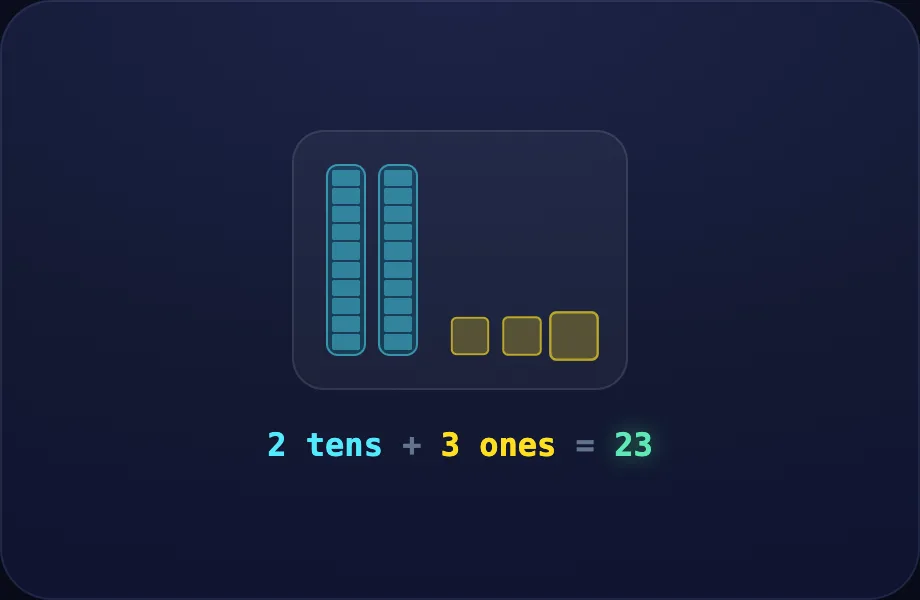
Introduce the idea. Luna opens with the baseten visual — base-ten blocks: tens-rods and ones-cubes for two-digit place value, across 3 narrated beats, so the concept is seen before it is ever practised.
What Luna says
- Big numbers are built from tens and ones. Let's build twenty-three.
- Two tall ten-rods make twenty, and three little ones make three.
- Two tens and three ones — that's twenty-three!
In the open config
id: build
label: Build 23
beats:
  - say: lpv-1
    caption: Big numbers are built from tens and ones. Let's build twenty-three.
    view:
      kind: baseten
      key: bt23
      t: 2
      o: 3
  - say: lpv-2
    caption: Two tall ten-rods make twenty, and three little ones make three.
    view:
      kind: baseten
      key: bt23
      t: 2
      o: 3
  - say: lpv-3
    caption: Two tens and three ones — that's twenty-three!
    view:
      kind: baseten
      key: bt23
      t: 2
      o: 3
Preview
Forty
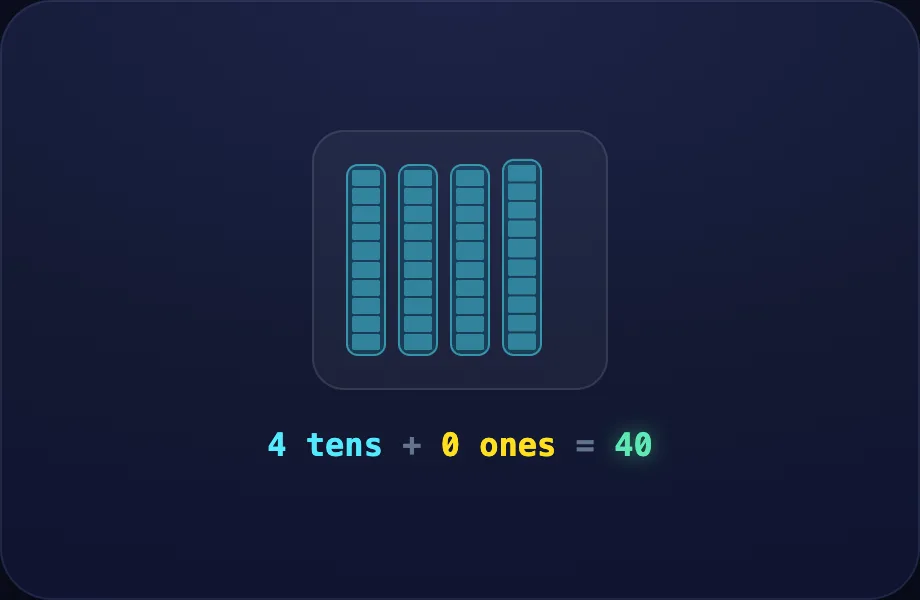
Worked example. Luna walks one case step by step with the baseten view — base-ten blocks: tens-rods and ones-cubes for two-digit place value, turning the idea into a procedure a child can repeat.
What Luna says
- Let's build forty. Four ten-rods, and no ones at all.
- Four tens is forty.
In the open config
id: forty
label: Forty
beats:
  - say: lpv-4
    caption: Let's build forty. Four ten-rods, and no ones at all.
    view:
      kind: baseten
      key: bt40
      t: 4
      o: 0
  - say: lpv-5
    caption: Four tens is forty.
    view:
      kind: baseten
      key: bt40
      t: 4
      o: 0
Preview
Just ones
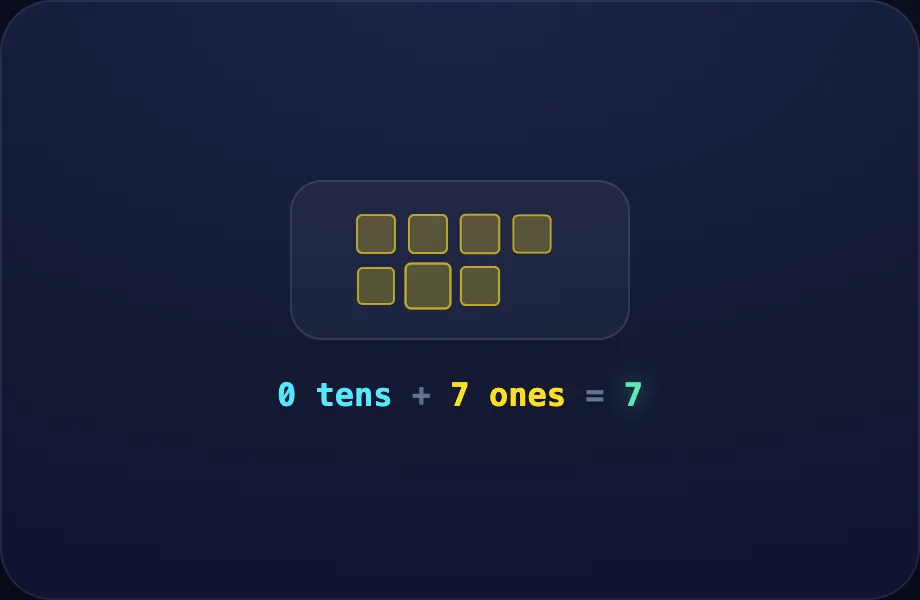
Worked example. Luna walks one case step by step with the baseten view — base-ten blocks: tens-rods and ones-cubes for two-digit place value, turning the idea into a procedure a child can repeat.
What Luna says
- And the number seven is just seven ones — no tens yet.
In the open config
id: seven
label: Just ones
beats:
  - say: lpv-6
    caption: And the number seven is just seven ones — no tens yet.
    view:
      kind: baseten
      key: bt7
      t: 0
      o: 7
Preview
Your turn
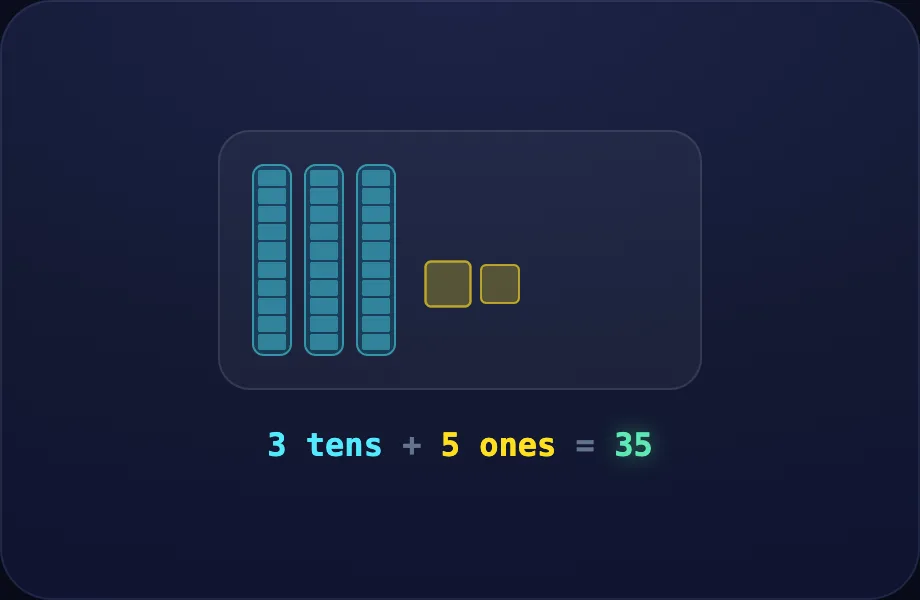
Your turn. The lesson hands off to the practice board: the child now answers, applying what the baseten visual — base-ten blocks: tens-rods and ones-cubes for two-digit place value just showed.
What Luna says
- The left digit counts the tens, the right digit counts the ones. Now you try!
In the open config
id: go
label: Your turn
beats:
  - say: lpv-7
    caption: The left digit counts the tens, the right digit counts the ones. Now you try!
    view:
      kind: baseten
      key: bt35
      t: 3
      o: 5
Preview
Hundreds
How this station is declared (YAML)
id: pv-hundreds
title: Hundreds
icon: 💯
board: tens-ones
bands:
  - 2
  - 2
lesson: hundreds
concept: place-value
Lesson: Hundreds — 4 steps
Make 100
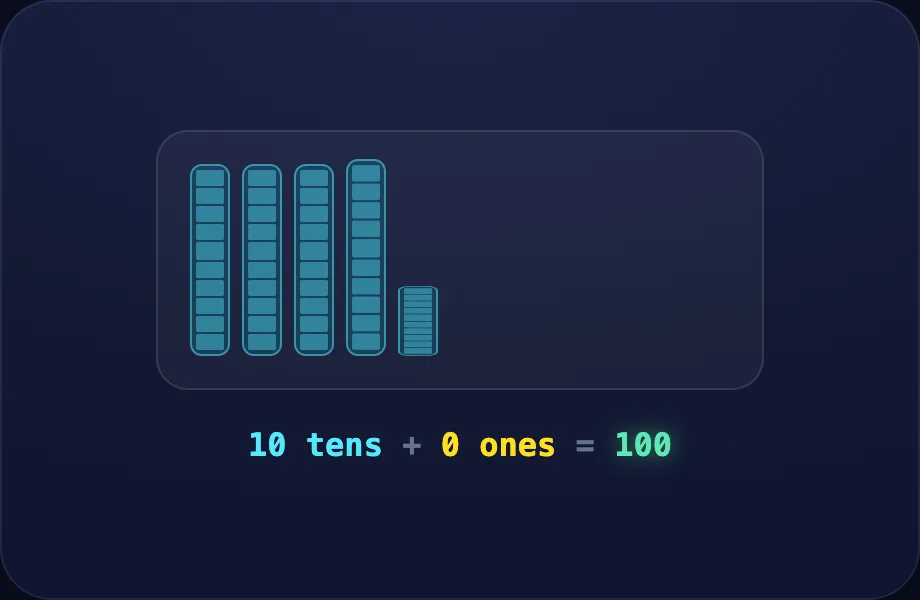
Introduce the idea. Luna opens with the baseten visual — base-ten blocks: tens-rods and ones-cubes for two-digit place value, across 1 narrated beat, so the concept is seen before it is ever practised.
What Luna says
- When we gather ten ten-rods together, they bundle into one hundred.
In the open config
id: bundle
label: Make 100
beats:
  - say: lhun-1
    caption: When we gather ten ten-rods together, they bundle into one hundred.
    view:
      kind: baseten
      key: bt100
      t: 10
      o: 0
Preview
Read 345
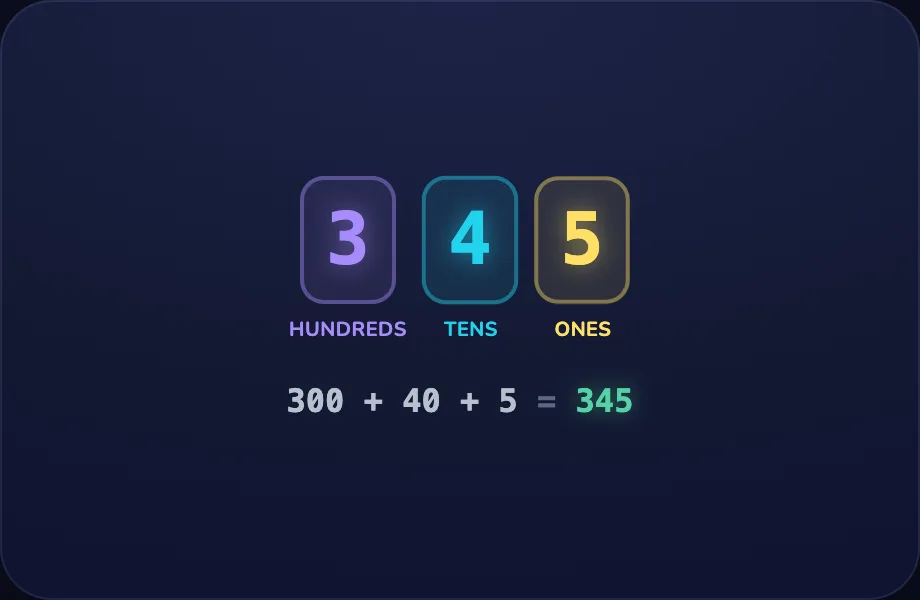
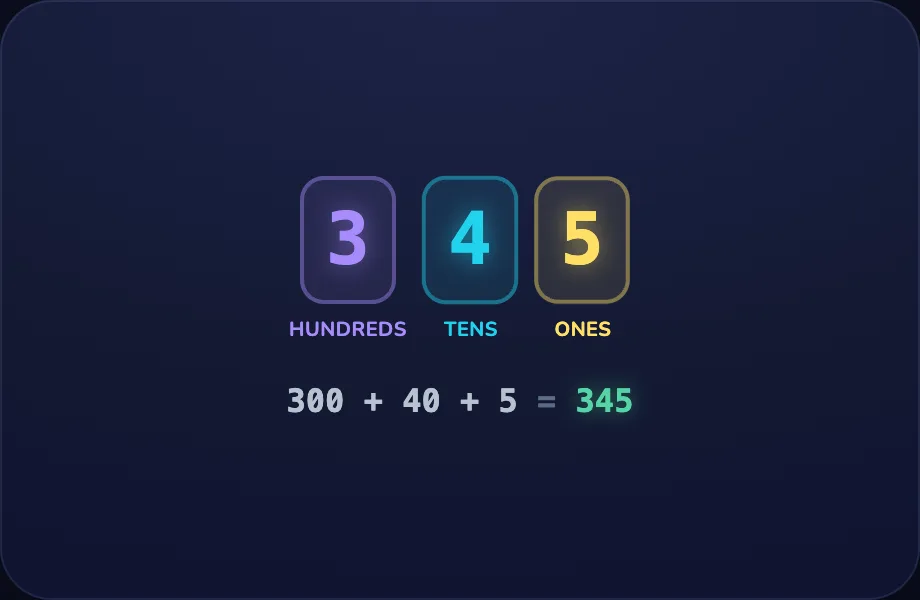
Worked example. Luna walks one case step by step with the placedigits view — a number split into place-value columns (Ones | Tens | Hundreds…) plus its expanded form, turning the idea into a procedure a child can repeat.
What Luna says
- Big numbers have three places: hundreds, tens, and ones. Here is three hundred forty-five.
- The three means three hundreds, the four means four tens, and the five means five ones.
- Three hundred, plus forty, plus five, makes three hundred forty-five.
In the open config
id: read
label: Read 345
beats:
  - say: lhun-2
    caption: "Big numbers have three places: hundreds, tens, and ones. Here is three hundred forty-five."
    view:
      kind: placedigits
      key: pd345
      value: 345
  - say: lhun-3
    caption: The three means three hundreds, the four means four tens, and the five means five ones.
    view:
      kind: placedigits
      key: pd345
      value: 345
  - say: lhun-4
    caption: Three hundred, plus forty, plus five, makes three hundred forty-five.
    view:
      kind: placedigits
      key: pd345
      value: 345
Preview
Zero holder
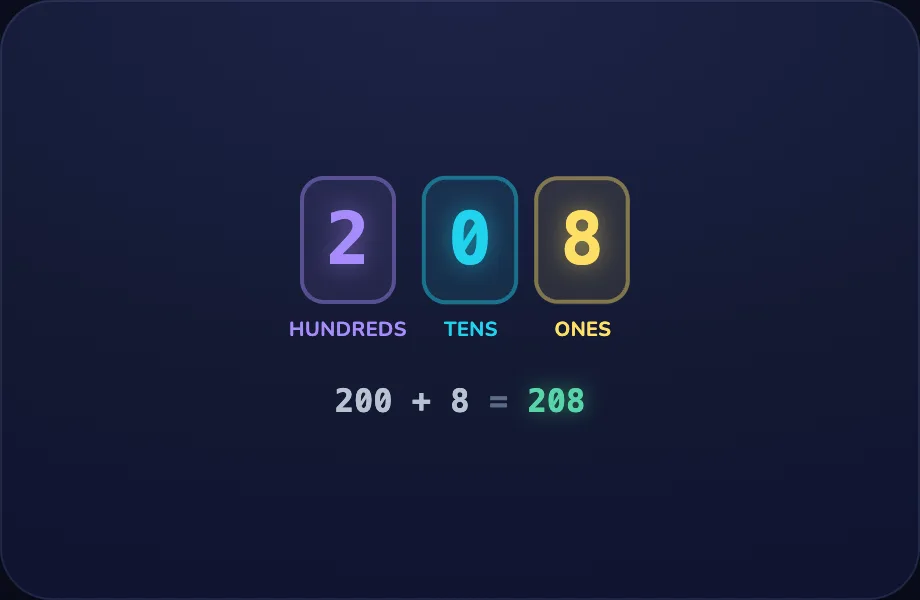
Worked example. Luna walks one case step by step with the placedigits view — a number split into place-value columns (Ones | Tens | Hundreds…) plus its expanded form, turning the idea into a procedure a child can repeat.
What Luna says
- Now read two hundred eight. Two hundreds, zero tens, and eight ones. The zero holds the tens place open.
In the open config
id: zero
label: Zero holder
beats:
  - say: lhun-5
    caption: Now read two hundred eight. Two hundreds, zero tens, and eight ones. The zero holds the tens place open.
    view:
      kind: placedigits
      key: pd208
      value: 208
Preview
Your turn
Your turn. The lesson hands off to the practice board: the child now answers, applying what the placedigits visual — a number split into place-value columns (Ones | Tens | Hundreds…) plus its expanded form just showed.
What Luna says
- Each place is ten times bigger than the one to its right. Now you try!
In the open config
id: go
label: Your turn
beats:
  - say: lhun-6
    caption: Each place is ten times bigger than the one to its right. Now you try!
    view:
      kind: placedigits
      key: pd345b
      value: 345
Preview
Two-Digit + and −
How this station is declared (YAML)
id: pv-2digit
title: Two-Digit + and −
icon: 🔣
board: twodigit-nr
bands:
  - 0
  - 2
lesson: addition
concept: addition
Lesson: Adding to 20 — 4 steps
Put together
Introduce the idea. Luna opens with the combine visual — two groups of blocks sliding together to show addition as combining, across 2 narrated beats, so the concept is seen before it is ever practised.
What Luna says
- Adding means putting groups together to find how many there are in all.
- Four blocks and three blocks, pushed together, make seven.
In the open config
id: together
label: Put together
beats:
  - say: ladd-1
    caption: Adding means putting groups together to find how many there are in all.
    view:
      kind: combine
      key: c43
      a: 4
      b: 3
  - say: ladd-2
    caption: Four blocks and three blocks, pushed together, make seven.
    view:
      kind: combine
      key: c43
      a: 4
      b: 3
Preview
A bigger one
Worked example. Luna walks one case step by step with the combine view — two groups of blocks sliding together to show addition as combining, turning the idea into a procedure a child can repeat.
What Luna says
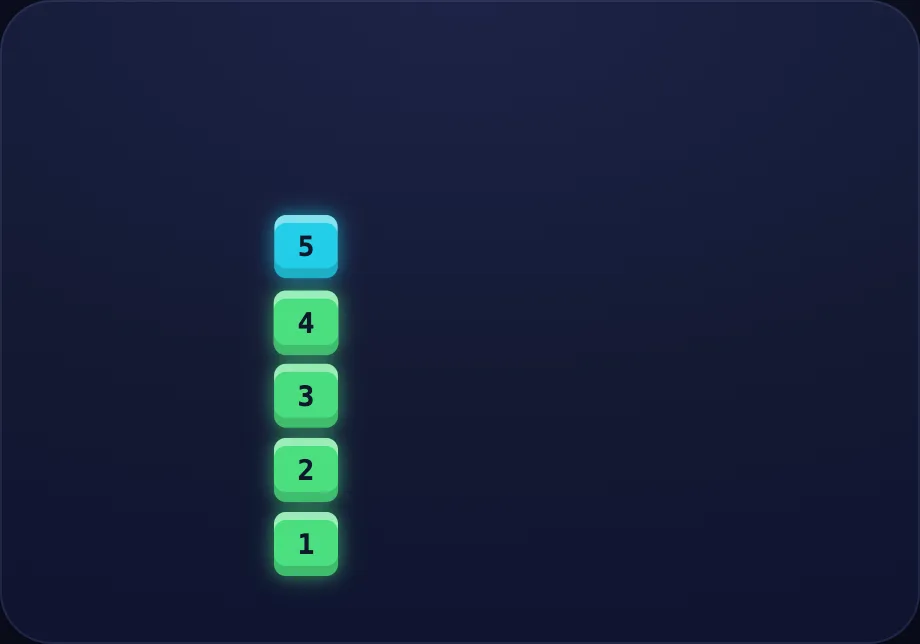
- Let's try a bigger one: eight blocks and five blocks.
- Altogether that is thirteen.
In the open config
id: bigger
label: A bigger one
beats:
  - say: ladd-3
    caption: "Let's try a bigger one: eight blocks and five blocks."
    view:
      kind: combine
      key: c85
      a: 8
      b: 5
  - say: ladd-4
    caption: Altogether that is thirteen.
    view:
      kind: combine
      key: c85
      a: 8
      b: 5
Preview
Count on
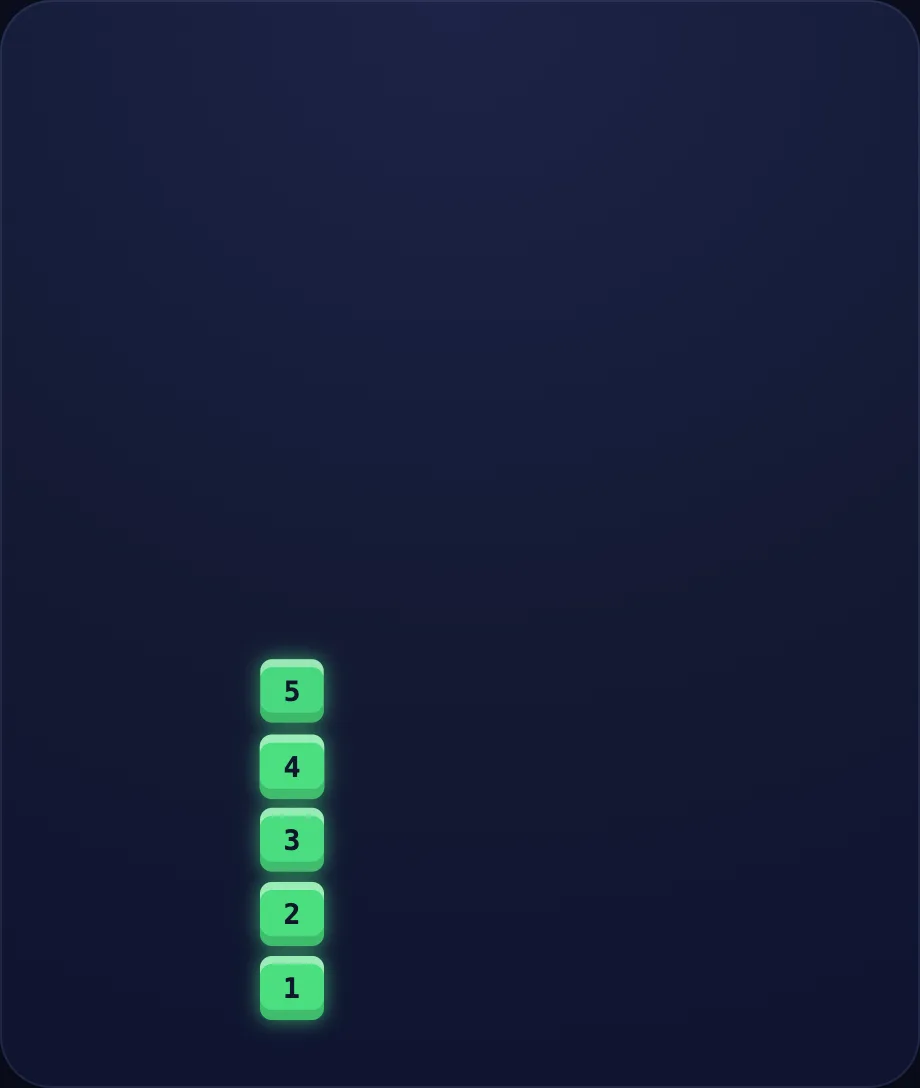
Worked example. Luna walks one case step by step with the numberline view — a number line that hops from a start value — add/subtract or bond-up to a target, turning the idea into a procedure a child can repeat.
What Luna says
- There is another way — counting on. Start at nine and hop up four.
- Ten, eleven, twelve, thirteen. Nine plus four is thirteen!
In the open config
id: counton
label: Count on
beats:
  - say: ladd-5
    caption: There is another way — counting on. Start at nine and hop up four.
    view:
      kind: numberline
      key: nl
      hint:
        kind: numberline
        start: 9
        op: add
        delta: 4
  - say: ladd-6
    caption: Ten, eleven, twelve, thirteen. Nine plus four is thirteen!
    view:
      kind: numberline
      key: nl
      hint:
        kind: numberline
        start: 9
        op: add
        delta: 4
Preview
Your turn
Your turn. The lesson hands off to the practice board: the child now answers, applying what the big visual — a single big numeral or label, for emphasis / answer-reveal beats just showed.
What Luna says
- Put together, or count on — both find the total. Your turn!
In the open config
id: go
label: Your turn
beats:
  - say: ladd-7
    caption: Put together, or count on — both find the total. Your turn!
    view:
      kind: big
      key: plus
      text: ➕
      color: "#22d3ee"
Preview
Skip Counting
How this station is declared (YAML)
id: pv-skip
title: Skip Counting
icon: 🦘
board: skip
bands:
  - 0
  - 2
lesson: skip-counting
concept: skip-counting
Lesson: Skip Counting — 4 steps
By 5s
Introduce the idea. Luna opens with the skip visual — skip-counting hops along a track (count by 2s, 5s, 10s), across 2 narrated beats, so the concept is seen before it is ever practised.
What Luna says
- Skip counting means hopping by the same amount each time. Let's hop by fives.
- Five, ten, fifteen, twenty! Much faster than counting by ones.
In the open config
id: fives
label: By 5s
beats:
  - say: lskip-1
    caption: Skip counting means hopping by the same amount each time. Let's hop by fives.
    view:
      kind: skip
      key: s5
      step: 5
      count: 4
  - say: lskip-2
    caption: Five, ten, fifteen, twenty! Much faster than counting by ones.
    view:
      kind: skip
      key: s5
      step: 5
      count: 4
Preview
By 2s
Worked example. Luna walks one case step by step with the skip view — skip-counting hops along a track (count by 2s, 5s, 10s), turning the idea into a procedure a child can repeat.
What Luna says
- Now we hop by twos.
- Two, four, six, eight, ten.
In the open config
id: twos
label: By 2s
beats:
  - say: lskip-3
    caption: Now we hop by twos.
    view:
      kind: skip
      key: s2
      step: 2
      count: 5
  - say: lskip-4
    caption: Two, four, six, eight, ten.
    view:
      kind: skip
      key: s2
      step: 2
      count: 5
Preview
By 10s
Worked example. Luna walks one case step by step with the skip view — skip-counting hops along a track (count by 2s, 5s, 10s), turning the idea into a procedure a child can repeat.
What Luna says
- And by tens — the longest hops of all.
- Ten, twenty, thirty, forty, fifty!
In the open config
id: tens
label: By 10s
beats:
  - say: lskip-5
    caption: And by tens — the longest hops of all.
    view:
      kind: skip
      key: s10
      step: 10
      count: 5
  - say: lskip-6
    caption: Ten, twenty, thirty, forty, fifty!
    view:
      kind: skip
      key: s10
      step: 10
      count: 5
Preview
Your turn
Your turn. The lesson hands off to the practice board: the child now answers, applying what the skip visual — skip-counting hops along a track (count by 2s, 5s, 10s) just showed.
What Luna says
- Skip counting helps you count fast — and it gets you ready for times tables. You try!
In the open config
id: go
label: Your turn
beats:
  - say: lskip-7
    caption: Skip counting helps you count fast — and it gets you ready for times tables. You try!
    view:
      kind: skip
      key: s5b
      step: 5
      count: 4
Preview
Even or Odd
How this station is declared (YAML)
id: pv-evenodd
title: Even or Odd
icon: 🎭
board: even-odd
bands:
  - 0
  - 2
lesson: even-odd
concept: even-odd
Lesson: Even or Odd — 4 steps
Even
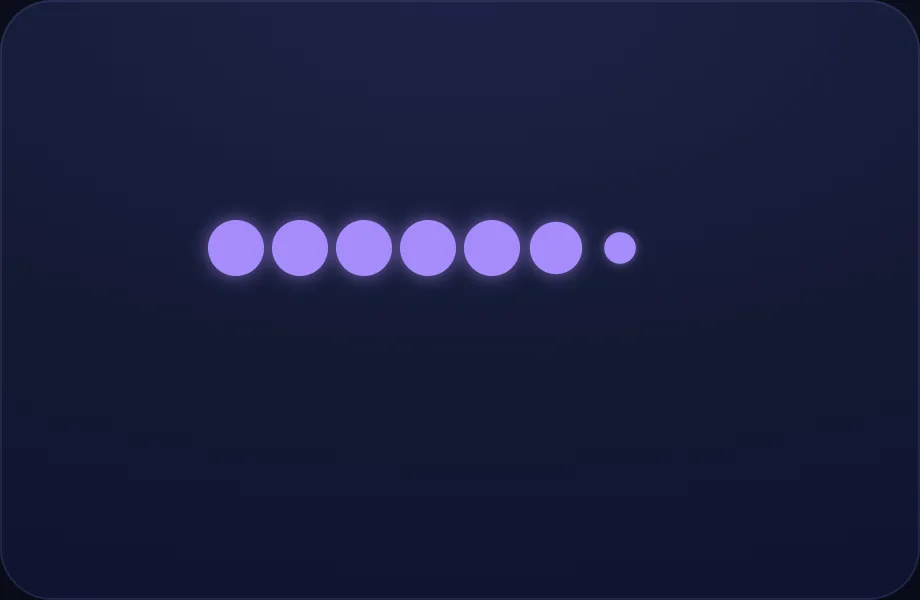
Introduce the idea. Luna opens with the evenodd visual — dots paired up to show whether a number is even (all paired) or odd (one left over), across 2 narrated beats, so the concept is seen before it is ever practised.
What Luna says
- A number is even if it splits into perfect pairs, with none left over.
- Eight splits into four pairs — even!
In the open config
id: even8
label: Even
beats:
  - say: leo-1
    caption: A number is even if it splits into perfect pairs, with none left over.
    view:
      kind: evenodd
      key: e8
      "n": 8
  - say: leo-2
    caption: Eight splits into four pairs — even!
    view:
      kind: evenodd
      key: e8
      "n": 8
Preview
Odd
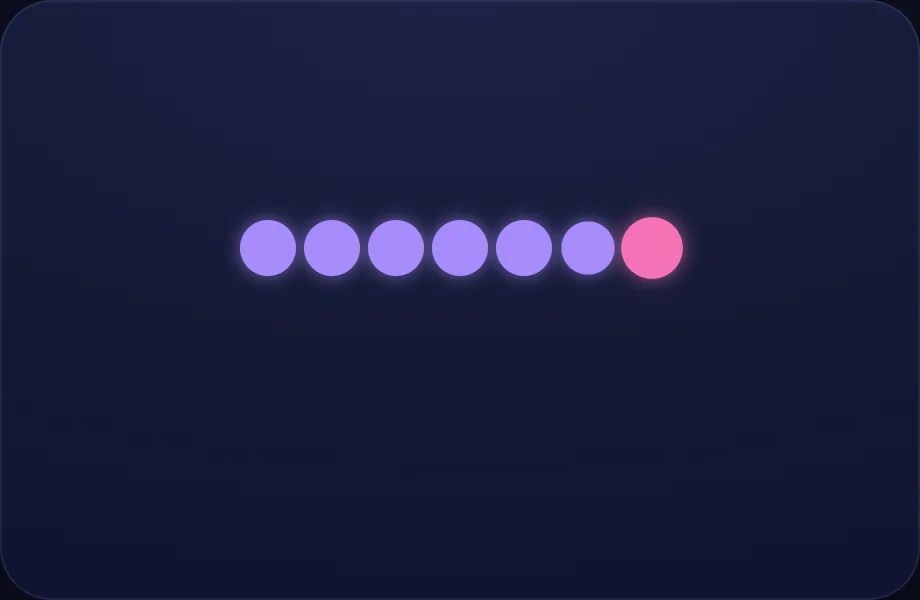
Worked example. Luna walks one case step by step with the evenodd view — dots paired up to show whether a number is even (all paired) or odd (one left over), turning the idea into a procedure a child can repeat.
What Luna says
- But seven leaves one little dot all alone.
- Seven is odd — one left over.
In the open config
id: odd7
label: Odd
beats:
  - say: leo-3
    caption: But seven leaves one little dot all alone.
    view:
      kind: evenodd
      key: e7
      "n": 7
  - say: leo-4
    caption: Seven is odd — one left over.
    view:
      kind: evenodd
      key: e7
      "n": 7
Preview
Even again
Worked example. Luna walks one case step by step with the evenodd view — dots paired up to show whether a number is even (all paired) or odd (one left over), turning the idea into a procedure a child can repeat.
What Luna says
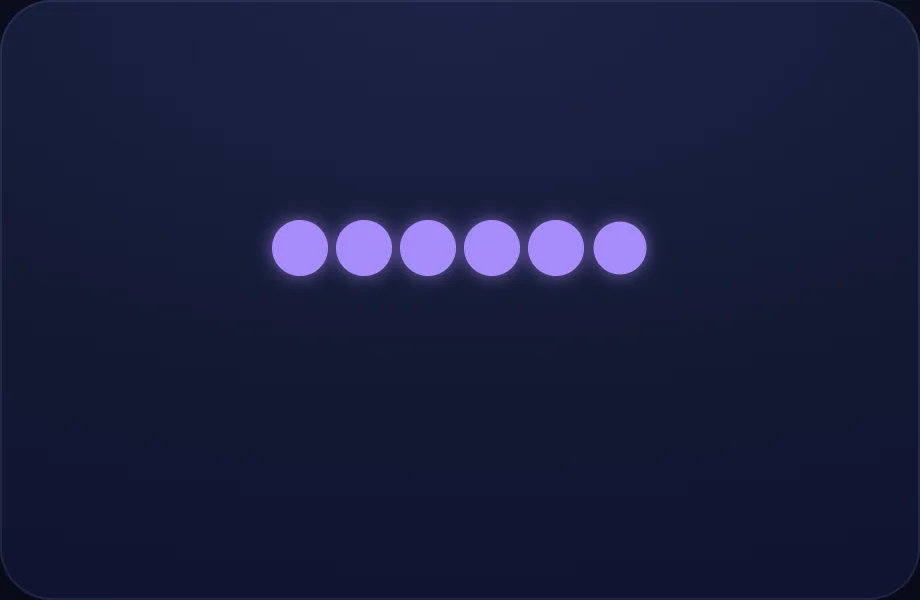
- Six makes three pairs with none left — so six is even.
In the open config
id: even6
label: Even again
beats:
  - say: leo-5
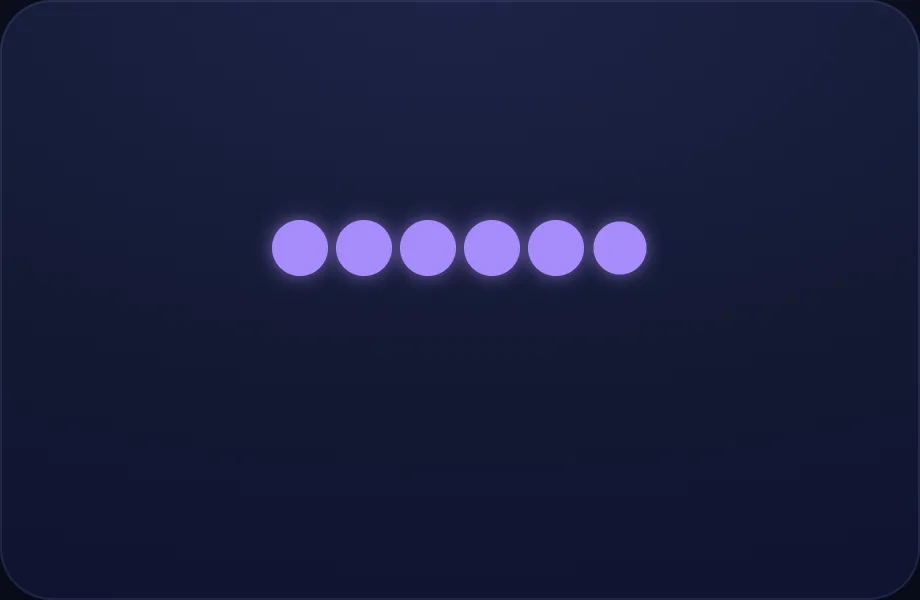
    caption: Six makes three pairs with none left — so six is even.
    view:
      kind: evenodd
      key: e6
      "n": 6
Preview
Your turn
Your turn. The lesson hands off to the practice board: the child now answers, applying what the evenodd visual — dots paired up to show whether a number is even (all paired) or odd (one left over) just showed.
What Luna says
- A quick trick: even numbers end in 0, 2, 4, 6, or 8. Odd ones end in 1, 3, 5, 7, or 9. You try!
In the open config
id: go
label: Your turn
beats:
  - say: leo-6
    caption: "A quick trick: even numbers end in 0, 2, 4, 6, or 8. Odd ones end in 1, 3, 5, 7, or 9. You try!"
    view:
      kind: evenodd
      key: e6b
      "n": 6
Preview