
🌼 Luna's Math Quest
Number Meadow
Counting, comparing, number bonds, and adding & subtracting within 20 — the bedrock of number sense.
Counting
How this station is declared (YAML)
id: nm-counting
title: Counting
icon: 🔢
board: counting
bands:
  - 0
  - 2
lesson: counting
concept: counting
Lesson: Counting — 5 steps
What counting is
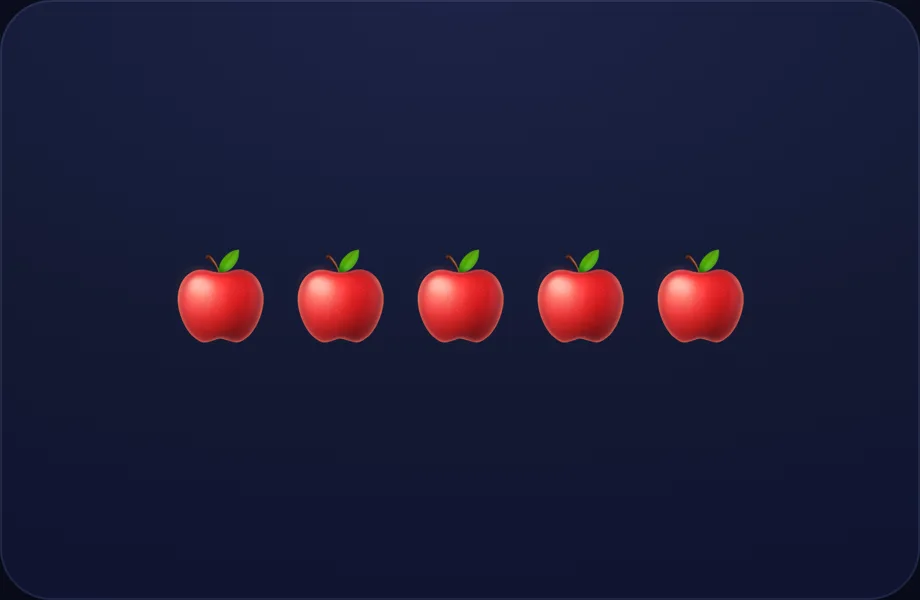
Introduce the idea. Luna opens with the objects visual — a row of countable objects; counted-so-far light up one by one, with a running numeral. The counting/addition staple, across 1 narrated beat, so the concept is seen before it is ever practised.
What Luna says
- Counting is how we find out how many. Let's count these apples together!
In the open config
id: what
label: What counting is
beats:
  - say: lcount-intro
    caption: Counting is how we find out how many. Let's count these apples together!
    view:
      kind: objects
      key: apples
      emoji: 🍎
      "n": 5
      highlight: -1
Preview
Count to 5
Worked example. Luna walks one case step by step with the objects view — a row of countable objects; counted-so-far light up one by one, with a running numeral. The counting/addition staple, turning the idea into a procedure a child can repeat.
What Luna says
- One.
- Two.
- Three.
- Four.
- Five!
In the open config
id: count5
label: Count to 5
beats:
  - say: lc-1
    caption: One.
    view:
      kind: objects
      key: apples
      emoji: 🍎
      "n": 5
      highlight: 0
  - say: lc-2
    caption: Two.
    view:
      kind: objects
      key: apples
      emoji: 🍎
      "n": 5
      highlight: 1
  - say: lc-3
    caption: Three.
    view:
      kind: objects
      key: apples
      emoji: 🍎
      "n": 5
      highlight: 2
  - say: lc-4
    caption: Four.
    view:
      kind: objects
      key: apples
      emoji: 🍎
      "n": 5
      highlight: 3
  - say: lc-5
    caption: Five!
    view:
      kind: objects
      key: apples
      emoji: 🍎
      "n": 5
      highlight: 4
Preview
How many?
Worked example. Luna walks one case step by step with the objects view — a row of countable objects; counted-so-far light up one by one, with a running numeral. The counting/addition staple, turning the idea into a procedure a child can repeat.
What Luna says
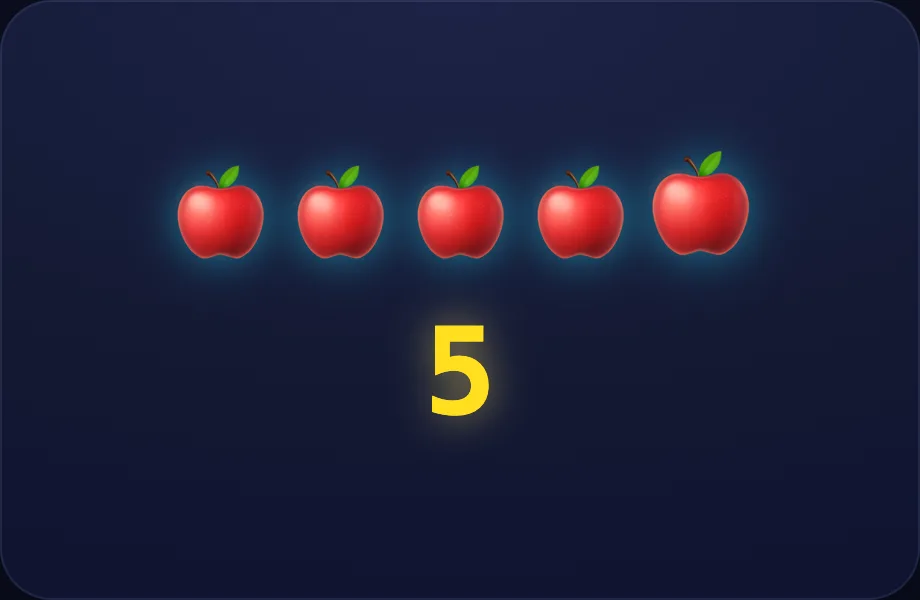
- The last number we say tells us how many. There are five apples!
In the open config
id: idea
label: How many?
beats:
  - say: lcount-howmany
    caption: The last number we say tells us how many. There are five apples!
    view:
      kind: objects
      key: apples
      emoji: 🍎
      "n": 5
      highlight: 4
      numeral: 5
Preview
Try again
Worked example. Luna walks one case step by step with the objects view — a row of countable objects; counted-so-far light up one by one, with a running numeral. The counting/addition staple, turning the idea into a procedure a child can repeat.
What Luna says
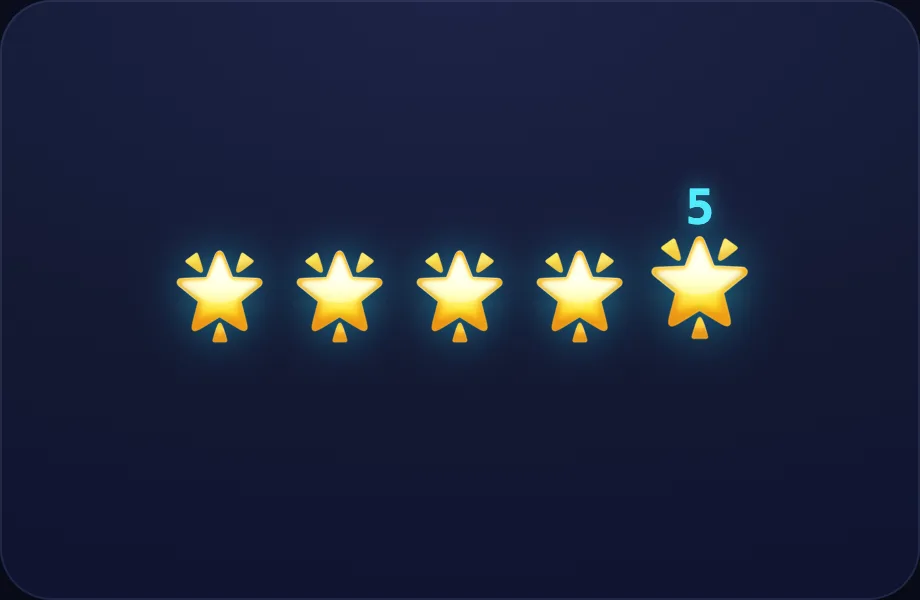
- Let's try again. Count these stars.
- One.
- Two.
- Three.
- Three stars! Count each one, and the last number is how many.
In the open config
id: again
label: Try again
beats:
  - say: lcount-again
    caption: Let's try again. Count these stars.
    view:
      kind: objects
      key: stars
      emoji: ⭐
      "n": 3
      highlight: -1
  - say: lc-1
    caption: One.
    view:
      kind: objects
      key: stars
      emoji: ⭐
      "n": 3
      highlight: 0
  - say: lc-2
    caption: Two.
    view:
      kind: objects
      key: stars
      emoji: ⭐
      "n": 3
      highlight: 1
  - say: lc-3
    caption: Three.
    view:
      kind: objects
      key: stars
      emoji: ⭐
      "n": 3
      highlight: 2
  - say: lcount-three
    caption: Three stars! Count each one, and the last number is how many.
    view:
      kind: objects
      key: stars
      emoji: ⭐
      "n": 3
      highlight: 2
      numeral: 3
Preview
Your turn
Your turn. The lesson hands off to the practice board: the child now answers, applying what the objects visual — a row of countable objects; counted-so-far light up one by one, with a running numeral. The counting/addition staple just showed.
What Luna says
- You're a counting star! Tap Play and count some yourself.
In the open config
id: go
label: Your turn
beats:
  - say: lcount-star
    caption: You're a counting star! Tap Play and count some yourself.
    view:
      kind: objects
      key: go
      emoji: 🌟
      "n": 5
      highlight: 4
Preview
Bigger or Smaller
How this station is declared (YAML)
id: nm-compare
title: Bigger or Smaller
icon: ⚖️
board: compare
bands:
  - 0
  - 2
lesson: compare
concept: compare-numbers
Lesson: Bigger or Smaller — 5 steps
Compare
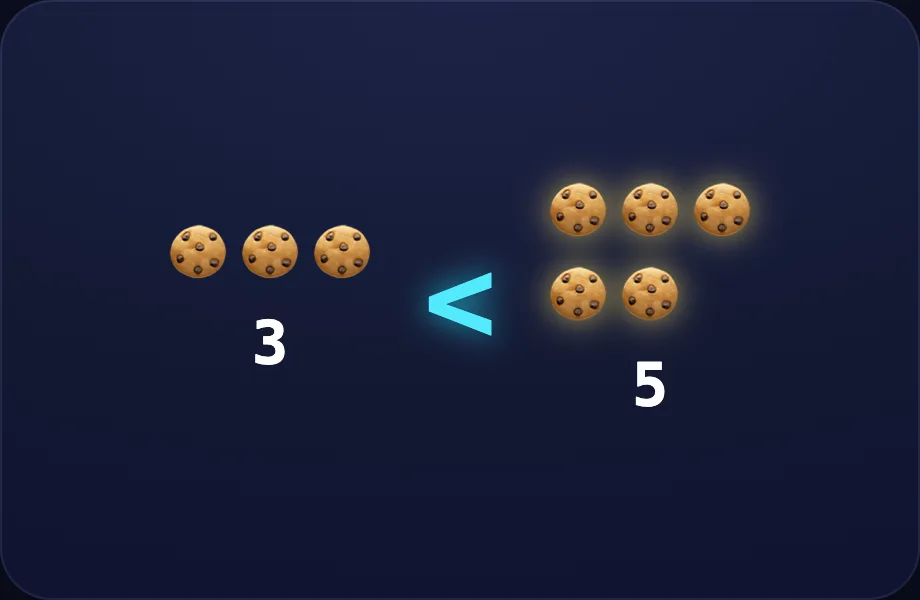
Introduce the idea. Luna opens with the compare visual — two groups of objects with a < > = "hungry mouth" sign that eats the bigger amount, across 3 narrated beats, so the concept is seen before it is ever practised.
What Luna says
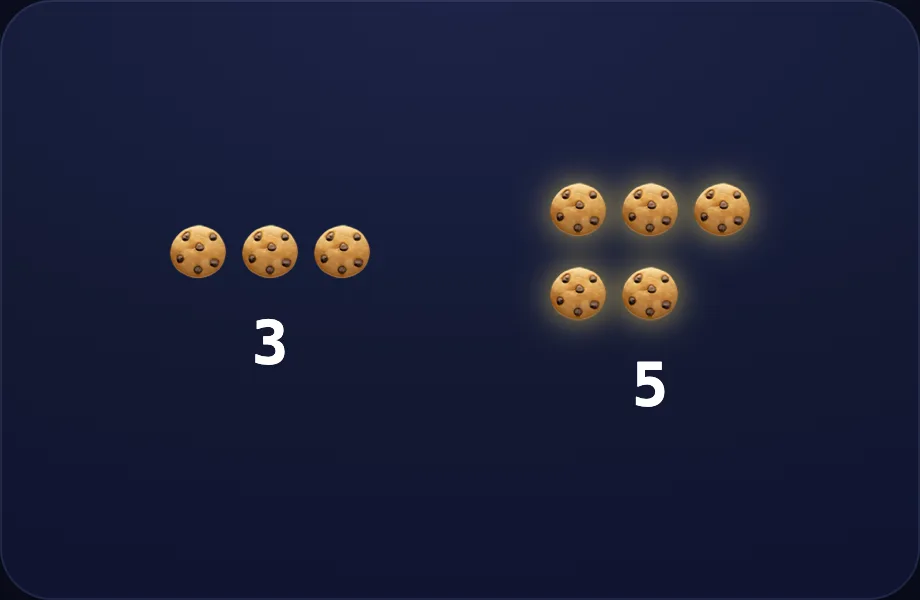
- Sometimes we want to know which group has more. Let's compare two plates of cookies!
- This plate has three cookies. This one has five.
- Five is more than three — see how this side is taller?
In the open config
id: intro
label: Compare
beats:
  - say: lcmp-1
    caption: Sometimes we want to know which group has more. Let's compare two plates of cookies!
    view:
      kind: compare
      key: cookies
      emoji: 🍪
      left: 3
      right: 5
  - say: lcmp-2
    caption: This plate has three cookies. This one has five.
    view:
      kind: compare
      key: cookies
      emoji: 🍪
      left: 3
      right: 5
  - say: lcmp-3
    caption: Five is more than three — see how this side is taller?
    view:
      kind: compare
      key: cookies
      emoji: 🍪
      left: 3
      right: 5
Preview
The sign
Worked example. Luna walks one case step by step with the compare view — two groups of objects with a < > = "hungry mouth" sign that eats the bigger amount, turning the idea into a procedure a child can repeat.
What Luna says
- We show it with this sign. Think of it as a hungry mouth that always opens to eat the bigger number. Chomp!
- So three is less than five.
In the open config
id: sign
label: The sign
beats:
  - say: lcmp-4
    caption: We show it with this sign. Think of it as a hungry mouth that always opens to eat the bigger number. Chomp!
    view:
      kind: compare
      key: cookies
      emoji: 🍪
      left: 3
      right: 5
      sign: <
  - say: lcmp-5
    caption: So three is less than five.
    view:
      kind: compare
      key: cookies
      emoji: 🍪
      left: 3
      right: 5
      sign: <
Preview
Equal
Worked example. Luna walks one case step by step with the compare view — two groups of objects with a < > = "hungry mouth" sign that eats the bigger amount, turning the idea into a procedure a child can repeat.
What Luna says
- What if both sides are the same? Here are four and four.
- When they match, we use the equals sign.
In the open config
id: equal
label: Equal
beats:
  - say: lcmp-6
    caption: What if both sides are the same? Here are four and four.
    view:
      kind: compare
      key: apples
      emoji: 🍎
      left: 4
      right: 4
  - say: lcmp-7
    caption: When they match, we use the equals sign.
    view:
      kind: compare
      key: apples
      emoji: 🍎
      left: 4
      right: 4
      sign: "="
Preview
Other way
Worked example. Luna walks one case step by step with the compare view — two groups of objects with a < > = "hungry mouth" sign that eats the bigger amount, turning the idea into a procedure a child can repeat.
What Luna says
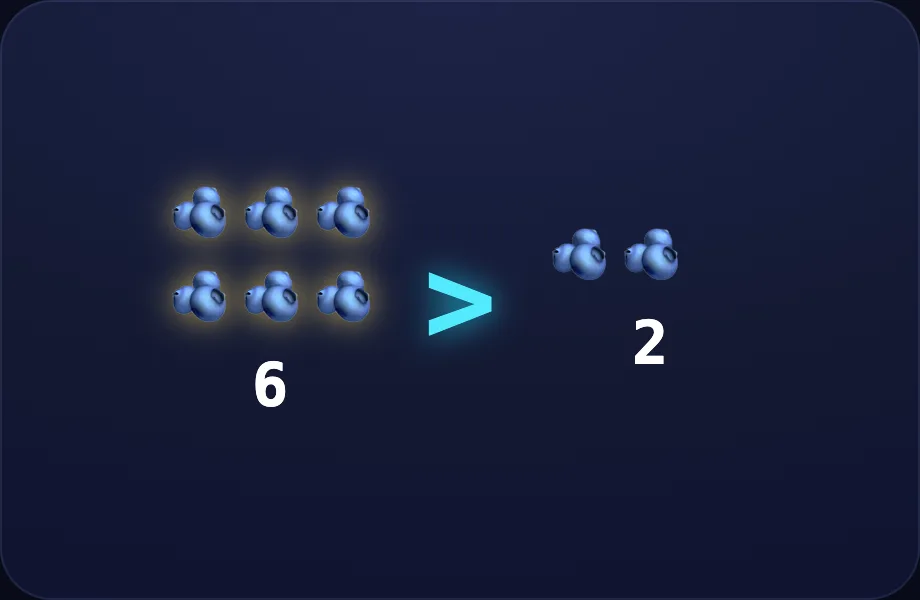
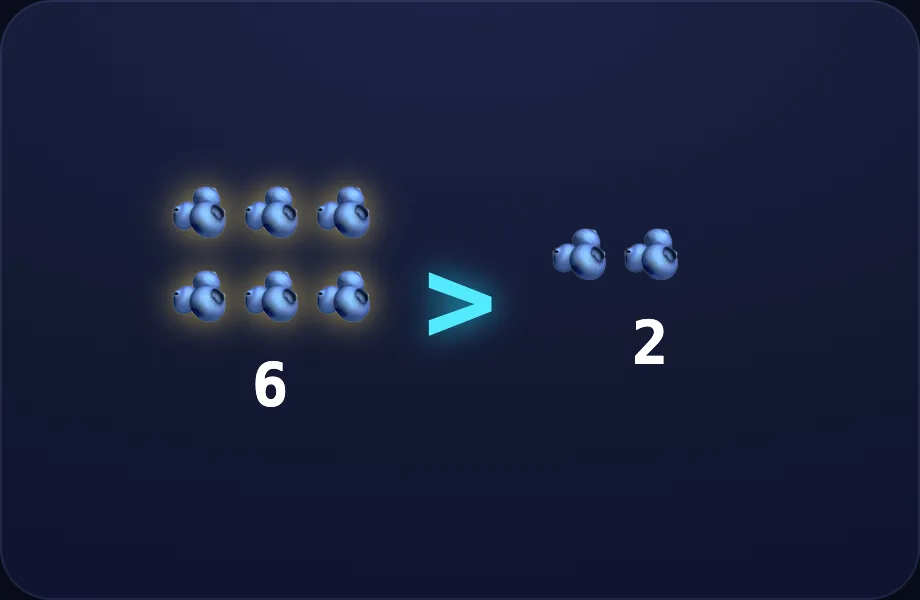
- And here, six is more than two, so the mouth opens the other way.
In the open config
id: other
label: Other way
beats:
  - say: lcmp-8
    caption: And here, six is more than two, so the mouth opens the other way.
    view:
      kind: compare
      key: berries
      emoji: 🫐
      left: 6
      right: 2
      sign: ">"
Preview
Your turn
Your turn. The lesson hands off to the practice board: the child now answers, applying what the compare visual — two groups of objects with a < > = "hungry mouth" sign that eats the bigger amount just showed.
What Luna says
- Remember: the open mouth always points at the bigger number. Now you try!
In the open config
id: go
label: Your turn
beats:
  - say: lcmp-9
    caption: "Remember: the open mouth always points at the bigger number. Now you try!"
    view:
      kind: compare
      key: berries
      emoji: 🫐
      left: 6
      right: 2
      sign: ">"
Preview
Friends of 10
How this station is declared (YAML)
id: nm-bonds10
title: Friends of 10
icon: 🤝
board: bonds
bands:
  - 0
  - 2
lesson: bonds
concept: bonds
Lesson: Friends of 10 — 5 steps
Ten-frame
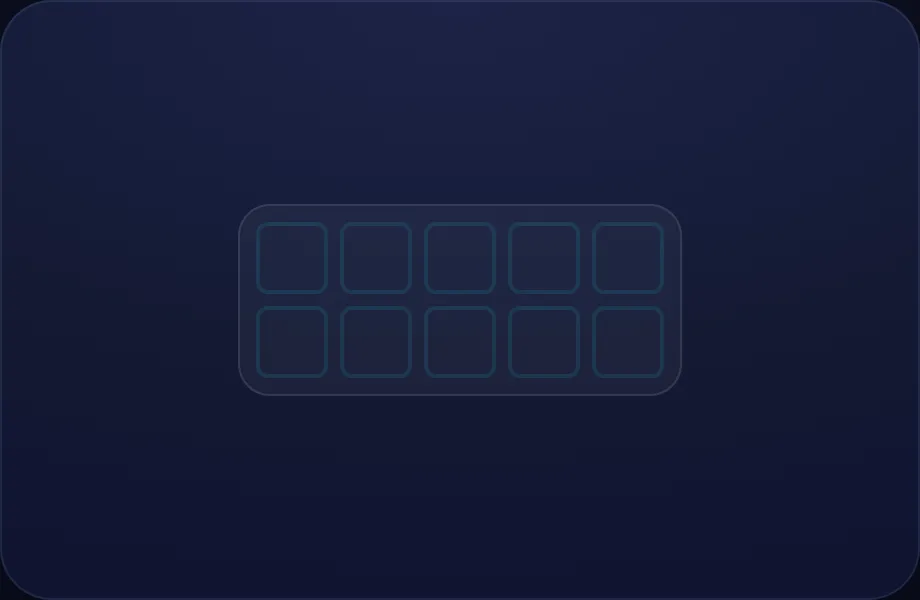
Introduce the idea. Luna opens with the tenframe visual — a ten-frame filled with counters — the bridge to making tens, across 1 narrated beat, so the concept is seen before it is ever practised.
What Luna says
- Friends of ten are two numbers that add up to exactly ten. Here is a ten-frame — ten little boxes.
In the open config
id: what
label: Ten-frame
beats:
  - say: lbnd-1
    caption: Friends of ten are two numbers that add up to exactly ten. Here is a ten-frame — ten little boxes.
    view:
      kind: tenframe
      key: tf0
      filled: 0
      showEq: false
Preview
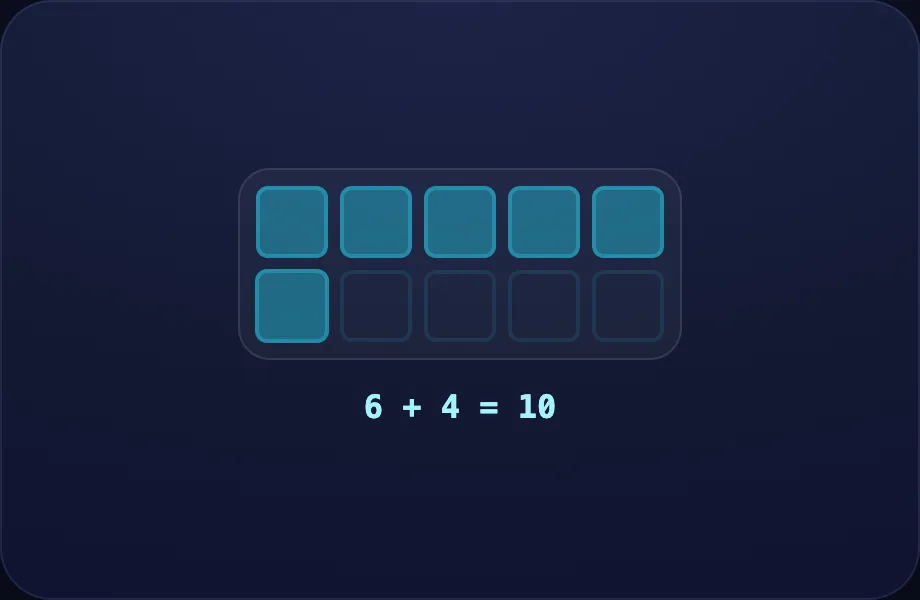
Six
Worked example. Luna walks one case step by step with the tenframe view — a ten-frame filled with counters — the bridge to making tens, turning the idea into a procedure a child can repeat.
What Luna says
- Let's drop in six counters.
- Now count the empty boxes: one, two, three, four. Four are left!
- Six and four make ten. They are friends of ten!
In the open config
id: six
label: Six
beats:
  - say: lbnd-2
    caption: Let's drop in six counters.
    view:
      kind: tenframe
      key: tf6
      filled: 6
  - say: lbnd-3
    caption: "Now count the empty boxes: one, two, three, four. Four are left!"
    view:
      kind: tenframe
      key: tf6
      filled: 6
  - say: lbnd-4
    caption: Six and four make ten. They are friends of ten!
    view:
      kind: tenframe
      key: tf6
      filled: 6
Preview
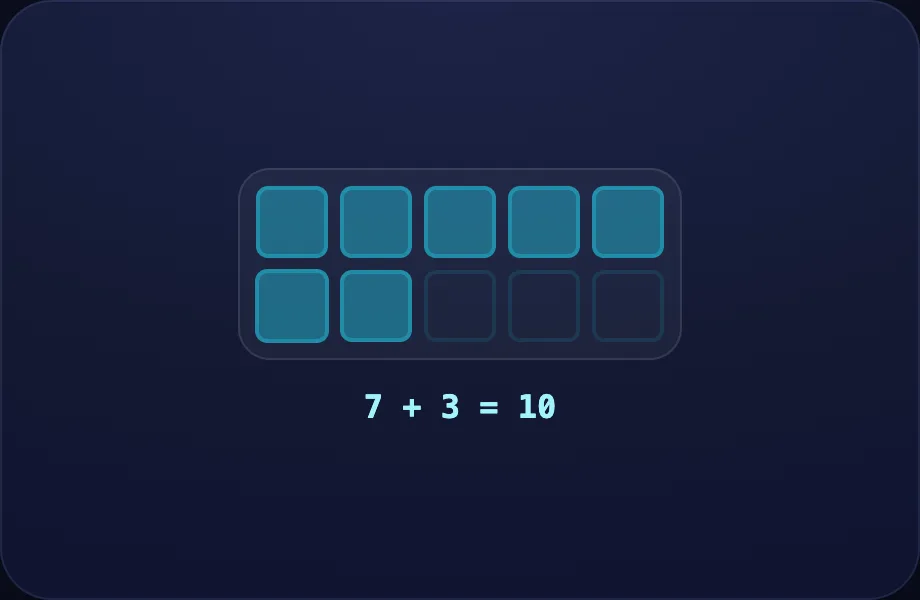
Seven
Worked example. Luna walks one case step by step with the tenframe view — a ten-frame filled with counters — the bridge to making tens, turning the idea into a procedure a child can repeat.
What Luna says
- Let's find another pair. This time we put in seven.
- Three empty boxes. So seven and three make ten too.
In the open config
id: seven
label: Seven
beats:
  - say: lbnd-5
    caption: Let's find another pair. This time we put in seven.
    view:
      kind: tenframe
      key: tf7
      filled: 7
  - say: lbnd-6
    caption: Three empty boxes. So seven and three make ten too.
    view:
      kind: tenframe
      key: tf7
      filled: 7
Preview
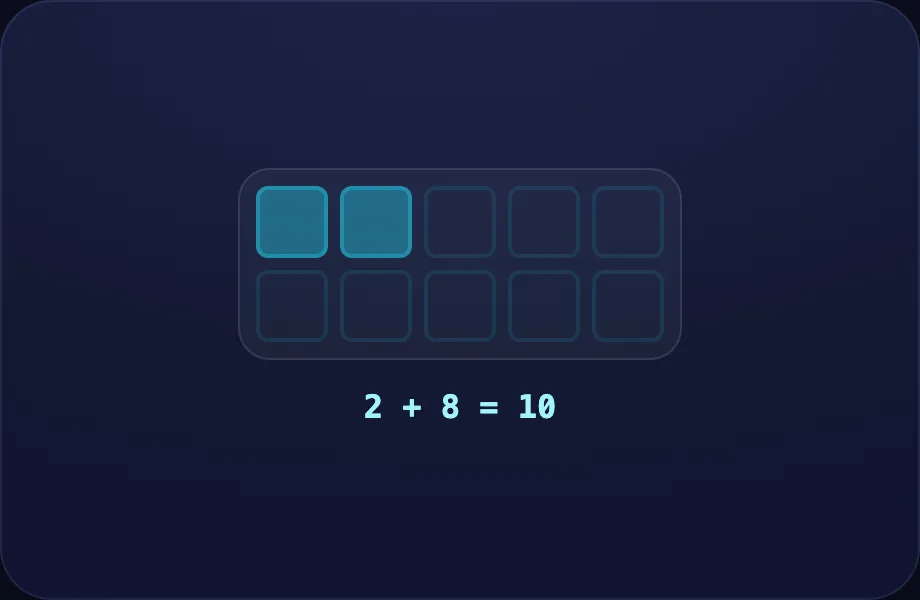
Two
Worked example. Luna walks one case step by step with the tenframe view — a ten-frame filled with counters — the bridge to making tens, turning the idea into a procedure a child can repeat.
What Luna says
- One more — just two counters.
- Eight empty boxes. Two and eight are friends of ten!
In the open config
id: two
label: Two
beats:
  - say: lbnd-7
    caption: One more — just two counters.
    view:
      kind: tenframe
      key: tf2
      filled: 2
  - say: lbnd-8
    caption: Eight empty boxes. Two and eight are friends of ten!
    view:
      kind: tenframe
      key: tf2
      filled: 2
Preview
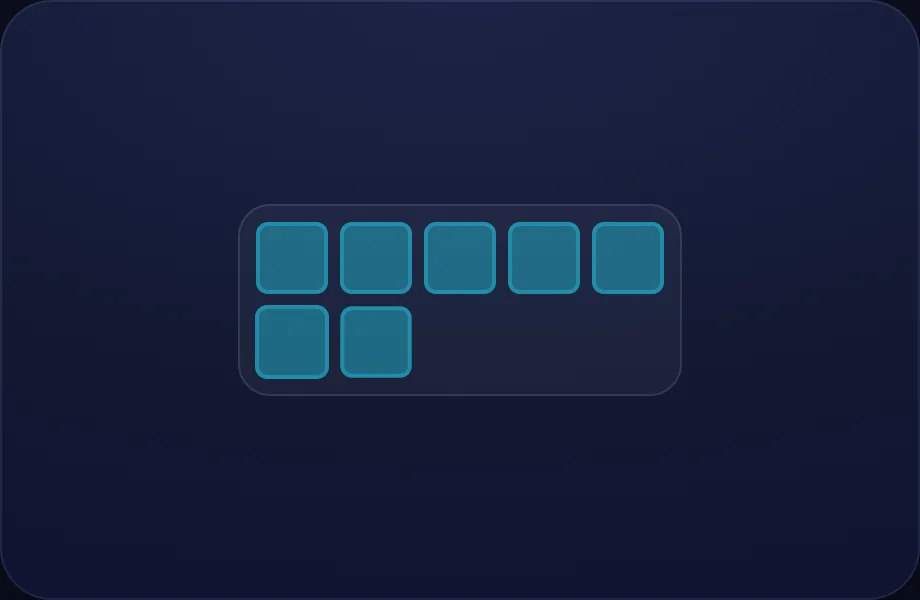
Your turn
Your turn. The lesson hands off to the practice board: the child now answers, applying what the tenframe visual — a ten-frame filled with counters — the bridge to making tens just showed.
What Luna says
- Every pair that fills the whole frame is a friend of ten. Now you try!
In the open config
id: go
label: Your turn
beats:
  - say: lbnd-9
    caption: Every pair that fills the whole frame is a friend of ten. Now you try!
    view:
      kind: tenframe
      key: tf10
      filled: 10
      showEq: false
Preview
Adding to 20
How this station is declared (YAML)
id: nm-add20
title: Adding to 20
icon: ➕
board: fact-add
bands:
  - 0
  - 2
lesson: addition
concept: addition
Lesson: Adding to 20 — 4 steps
Put together
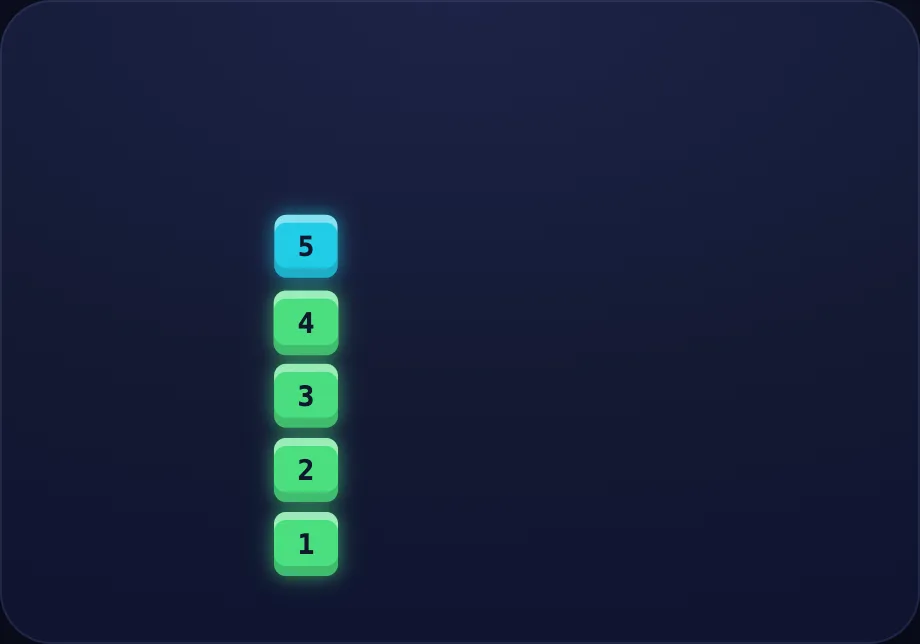
Introduce the idea. Luna opens with the combine visual — two groups of blocks sliding together to show addition as combining, across 2 narrated beats, so the concept is seen before it is ever practised.
What Luna says
- Adding means putting groups together to find how many there are in all.
- Four blocks and three blocks, pushed together, make seven.
In the open config
id: together
label: Put together
beats:
  - say: ladd-1
    caption: Adding means putting groups together to find how many there are in all.
    view:
      kind: combine
      key: c43
      a: 4
      b: 3
  - say: ladd-2
    caption: Four blocks and three blocks, pushed together, make seven.
    view:
      kind: combine
      key: c43
      a: 4
      b: 3
Preview
A bigger one
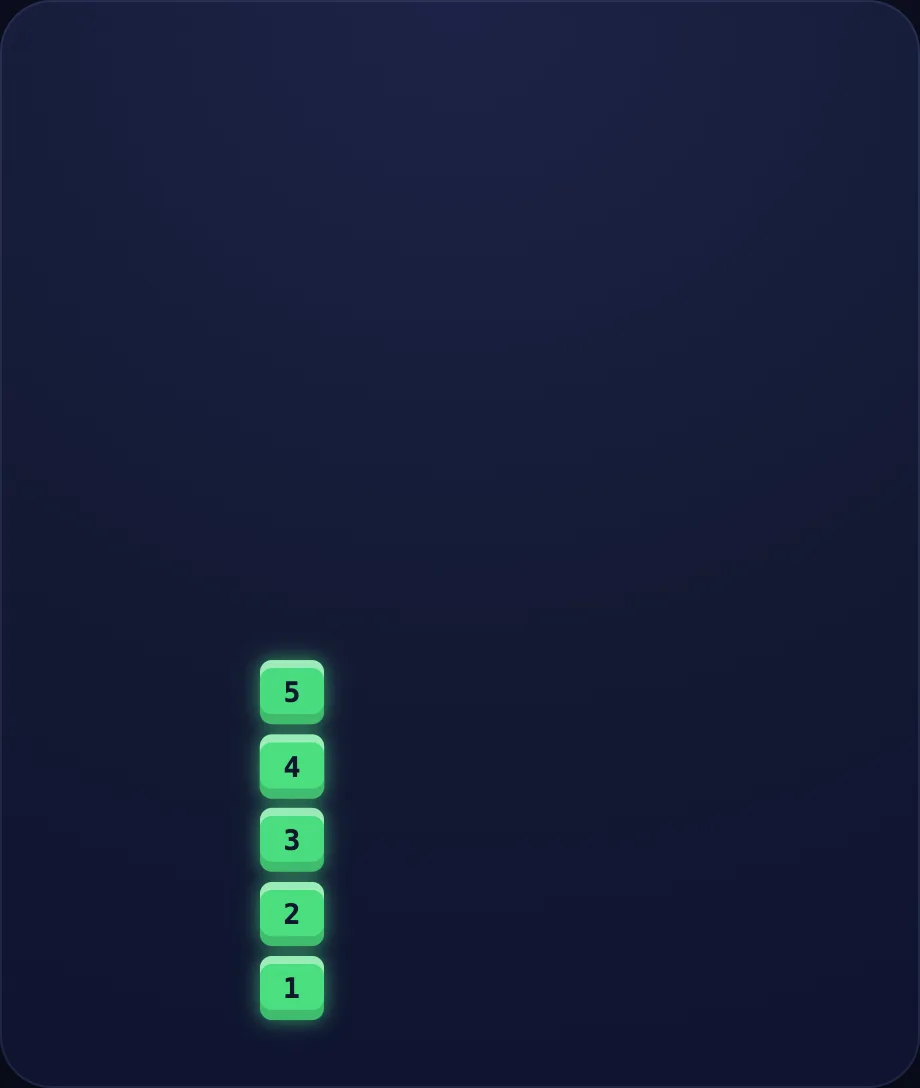
Worked example. Luna walks one case step by step with the combine view — two groups of blocks sliding together to show addition as combining, turning the idea into a procedure a child can repeat.
What Luna says
- Let's try a bigger one: eight blocks and five blocks.
- Altogether that is thirteen.
In the open config
id: bigger
label: A bigger one
beats:
  - say: ladd-3
    caption: "Let's try a bigger one: eight blocks and five blocks."
    view:
      kind: combine
      key: c85
      a: 8
      b: 5
  - say: ladd-4
    caption: Altogether that is thirteen.
    view:
      kind: combine
      key: c85
      a: 8
      b: 5
Preview
Count on
Worked example. Luna walks one case step by step with the numberline view — a number line that hops from a start value — add/subtract or bond-up to a target, turning the idea into a procedure a child can repeat.
What Luna says
- There is another way — counting on. Start at nine and hop up four.
- Ten, eleven, twelve, thirteen. Nine plus four is thirteen!
In the open config
id: counton
label: Count on
beats:
  - say: ladd-5
    caption: There is another way — counting on. Start at nine and hop up four.
    view:
      kind: numberline
      key: nl
      hint:
        kind: numberline
        start: 9
        op: add
        delta: 4
  - say: ladd-6
    caption: Ten, eleven, twelve, thirteen. Nine plus four is thirteen!
    view:
      kind: numberline
      key: nl
      hint:
        kind: numberline
        start: 9
        op: add
        delta: 4
Preview
Your turn
Your turn. The lesson hands off to the practice board: the child now answers, applying what the big visual — a single big numeral or label, for emphasis / answer-reveal beats just showed.
What Luna says
- Put together, or count on — both find the total. Your turn!
In the open config
id: go
label: Your turn
beats:
  - say: ladd-7
    caption: Put together, or count on — both find the total. Your turn!
    view:
      kind: big
      key: plus
      text: ➕
      color: "#22d3ee"
Preview
Taking Away
How this station is declared (YAML)
id: nm-sub20
title: Taking Away
icon: ➖
board: fact-sub
bands:
  - 0
  - 2
lesson: subtraction
concept: subtraction
Lesson: Taking Away — 4 steps
Take away
Introduce the idea. Luna opens with the takeaway visual — a group of blocks with some removed to show subtraction as taking away, across 2 narrated beats, so the concept is seen before it is ever practised.
What Luna says
- Subtracting means taking some away and seeing what is left.
- Eight blocks, take away three, and five are left.
In the open config
id: takeaway
label: Take away
beats:
  - say: lsub-1
    caption: Subtracting means taking some away and seeing what is left.
    view:
      kind: takeaway
      key: t83
      a: 8
      b: 3
  - say: lsub-2
    caption: Eight blocks, take away three, and five are left.
    view:
      kind: takeaway
      key: t83
      a: 8
      b: 3
Preview
Another
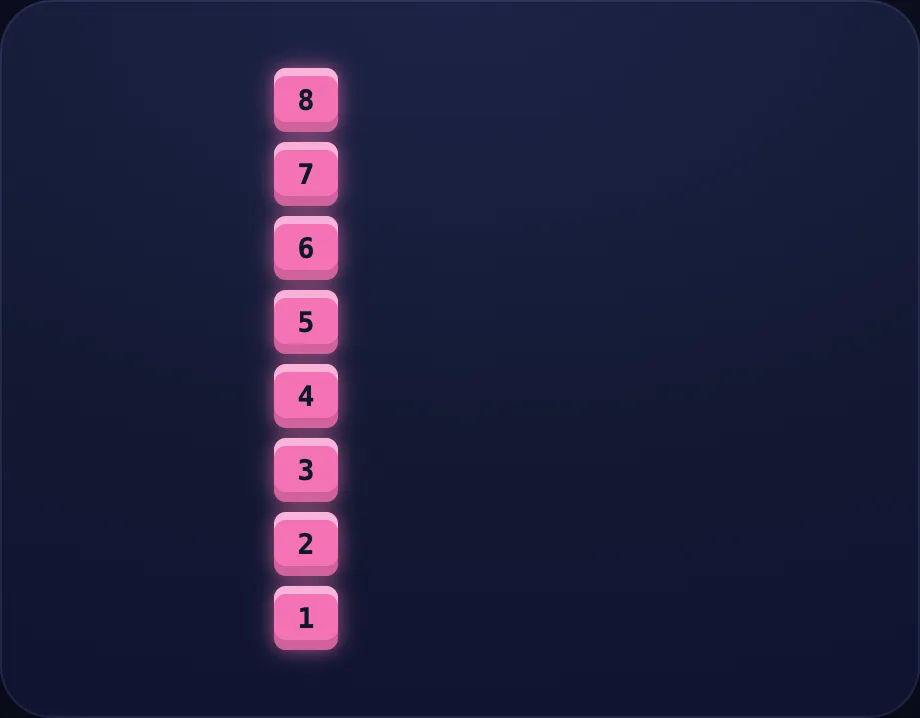
Worked example. Luna walks one case step by step with the takeaway view — a group of blocks with some removed to show subtraction as taking away, turning the idea into a procedure a child can repeat.
What Luna says
- Another one: ten blocks, take away four.
- Six are left. Ten minus four is six.
In the open config
id: another
label: Another
beats:
  - say: lsub-3
    caption: "Another one: ten blocks, take away four."
    view:
      kind: takeaway
      key: t104
      a: 10
      b: 4
  - say: lsub-4
    caption: Six are left. Ten minus four is six.
    view:
      kind: takeaway
      key: t104
      a: 10
      b: 4
Preview
Hop back
Worked example. Luna walks one case step by step with the numberline view — a number line that hops from a start value — add/subtract or bond-up to a target, turning the idea into a procedure a child can repeat.
What Luna says
- We can also hop backward. Start at twelve and hop back five.
- Eleven, ten, nine, eight, seven. Twelve minus five is seven!
In the open config
id: hopback
label: Hop back
beats:
  - say: lsub-5
    caption: We can also hop backward. Start at twelve and hop back five.
    view:
      kind: numberline
      key: nl
      hint:
        kind: numberline
        start: 12
        op: sub
        delta: 5
  - say: lsub-6
    caption: Eleven, ten, nine, eight, seven. Twelve minus five is seven!
    view:
      kind: numberline
      key: nl
      hint:
        kind: numberline
        start: 12
        op: sub
        delta: 5
Preview
Your turn
Your turn. The lesson hands off to the practice board: the child now answers, applying what the big visual — a single big numeral or label, for emphasis / answer-reveal beats just showed.
What Luna says
- Take away, or hop back — both show what is left. You try!
In the open config
id: go
label: Your turn
beats:
  - say: lsub-7
    caption: Take away, or hop back — both show what is left. You try!
    view:
      kind: big
      key: minus
      text: ➖
      color: "#fb923c"
Preview